Preface#
Every system design interview involves networks. When you say "the client sends a request to the server," you're glossing over dozens of networking concepts. Interviewers notice.
- DNS resolution — which server?
- TCP handshake — establish connection
- TLS handshake — secure it
- HTTP request — format the data
- Load balancer routing — which instance?
- Response travels back — same path, reverse
Each step can fail. Each step has latency.
This document covers everything about networking you need for system design interviews — from the physical layer to application protocols, with interview questions and real-world examples.
"The client connects to the server" hides DNS, a TCP handshake, a TLS handshake, the HTTP request and load balancer routing, each adding latency. TCP is reliable and ordered but suffers head-of-line blocking; UDP skips the handshake and lost packets; ephemeral ports can run out. HTTP/1.1, HTTP/2 and HTTP/3 over QUIC each remove the previous bottleneck, and latency comes from propagation, transmission, processing and queuing.
Part I: The Network Stack#
Chapter 1: OSI Model — The Mental Framework#
The OSI model gives us a shared vocabulary. You don't need to memorize all 7 layers, but you must understand how they map to real technologies.
| Layer | What you see / what it does | Data unit | System design relevance |
|---|---|---|---|
| 7 · Application | What you see: HTTP, HTTPS, WebSocket, gRPC, DNS, SMTP | Message/Data | API design, protocols, serialization |
| 6 · Presentation | What it does: Encryption, compression, encoding · Examples: TLS/SSL, JPEG, JSON serialization | HTTPS, data formats | |
| 5 · Session | What it does: Manages connections, sessions · Examples: NetBIOS, RPC, session tokens | Connection pooling, session management | |
| 4 · Transport | What you see: TCP, UDP, QUIC | Segment (TCP) / Datagram (UDP) | Reliability, ordering, flow control |
| 3 · Network | What you see: IP (IPv4, IPv6), ICMP, routing | Packet | IP addressing, subnets, VPCs |
| 2 · Data link | What you see: Ethernet, MAC addresses, switches | Frame | Usually abstracted in cloud |
| 1 · Physical | What it is: Cables, fiber, wireless signals | Datacenter placement, latency |
The Practical Model (TCP/IP)#
In practice, we use the simpler TCP/IP model:
| Layer | Protocols |
|---|---|
| Application | HTTP, HTTPS, DNS, WebSocket, gRPC |
| Transport | TCP, UDP, QUIC |
| Internet | IP, ICMP, ARP |
| Network access | Ethernet, Wi-Fi, Fiber |
Interview Tip#
Chapter 2: IP Addressing and Subnets#
2.1 IPv4 Addresses#
| Octet 1 | Octet 2 | Octet 3 | Octet 4 |
|---|---|---|---|
192 |
168 |
1 |
100 |
| 8 bits | 8 bits | 8 bits | 8 bits |
Total: 32 bits = ~4.3 billion addresses
Binary form: 192.168.1.100 = 11000000.10101000.00000001.01100100
2.2 Private IP Ranges#
These are reserved for internal networks (not routable on internet):
| Class | Range | Size | Used by |
|---|---|---|---|
| Class A | 10.0.0.0 – 10.255.255.255 |
16 million addresses | Large enterprises, cloud VPCs |
| Class B | 172.16.0.0 – 172.31.255.255 |
1 million addresses | Medium networks |
| Class C | 192.168.0.0 – 192.168.255.255 |
65,536 addresses | Home networks, small offices |
| Loopback | 127.0.0.0 – 127.255.255.255 |
localhost | 127.0.0.1 = "this machine" |
2.3 CIDR Notation#
CIDR (Classless Inter-Domain Routing) defines network size:
In 10.0.0.0/8, the /8 is the number of bits for network prefix.
| Prefix | Bits fixed | Addresses | Range |
|---|---|---|---|
/8 |
First 8 bits fixed | 16,777,216 addresses | 10.0.0.0 - 10.255.255.255 |
/16 |
First 16 bits fixed | 65,536 addresses | 10.0.0.0 - 10.0.255.255 |
/24 |
First 24 bits fixed | 256 addresses | 10.0.0.0 - 10.0.0.255 |
/32 |
All 32 bits fixed | 1 address | 10.0.0.1 only |
Common CIDR blocks
| Block | IPs | Typical use |
|---|---|---|
/8 |
16,777,216 IPs | Whole private address plan (AWS VPCs max out at /16) |
/16 |
65,536 IPs | Typical VPC / regional network |
/20 |
4,096 IPs | Subnet for services |
/24 |
256 IPs | Small subnet |
/28 |
16 IPs | Tiny subnet (load balancers) |
/32 |
1 IP | Single host |
Which subnet gets the database?
You're laying out a VPC for a web app with load balancers, application servers and a PostgreSQL database. Some subnets route to the internet and some don't. Where does each piece go, and why?
One strong answer
- Load balancers: public subnet. They must accept traffic from the internet, so their subnet routes to the Internet Gateway.
- App servers: private subnet. Nothing outside calls them directly. They reach out (for updates, external APIs) through a NAT gateway, outbound only.
- Database: its own subnet with no internet access at all. Only the app servers need it, so leaving out any internet route means there's no path in from outside.
2.4 Subnets in System Design#
%% title: VPC subnet design example
flowchart LR
  subgraph VPC["VPC · 10.0.0.0/16 (65,536 addresses)"]
    subgraph AZB["Availability zone B"]
      direction TB
      B1["Public subnet · 10.0.2.0/24"]:::edge
      B2["Private subnet · 10.0.11.0/24"]:::core
      B3[("Database subnet · 10.0.21.0/24")]:::store
      B1 ~~~ B2 ~~~ B3
    end
    subgraph AZA["Availability zone A"]
      direction TB
      A1["Public subnet · 10.0.1.0/24 (256 IPs)<br/>Load balancers, NAT gateways,<br/>bastion hosts"]:::edge
      A2["Private subnet · 10.0.10.0/24 (256 IPs)<br/>Application servers"]:::core
      A3[("Database subnet · 10.0.20.0/24 (256 IPs)<br/>RDS, ElastiCache<br/>(no internet access)")]:::store
      A1 ~~~ A2 ~~~ A3
    end
  end
Why this structure?
- Public subnets: Have route to Internet Gateway (IGW)
- Private subnets: Route to NAT Gateway for outbound only
- Database subnets: No internet access at all (maximum security)
2.5 IPv6#
2001:0db8:85a3:0000:0000:8a2e:0370:7334 — 128 bits (vs 32 for IPv4) = 340 undecillion addresses (340 × 10^36)
Shortened form: 2001:db8:85a3::8a2e:370:7334 (consecutive zeros can be replaced with ::)
System design relevance
- Most cloud providers support dual-stack (IPv4 + IPv6)
- Mobile networks increasingly use IPv6
- No NAT needed (every device can have public IP)
Chapter 3: TCP — The Reliable Protocol#
TCP (Transmission Control Protocol) is the backbone of most internet traffic.
3.1 TCP Characteristics#
- ok — Reliable delivery: Every byte sent will be received (or connection fails). Achieved through: Acknowledgments + Retransmissions
- ok — Ordered delivery: Bytes received in same order as sent. Achieved through: Sequence numbers
- ok — Flow control: Sender won't overwhelm receiver. Achieved through: Receive window
- ok — Congestion control: Sender adapts to network capacity. Achieved through: Congestion window algorithms
- no — No message boundaries: TCP is a byte stream, not message-based. Application must define message framing
3.2 TCP Three-Way Handshake#
%% title: TCP connection establishment
sequenceDiagram
  autonumber
  participant C as Client
  participant S as Server
  C->>S: SYN (seq=100)
  Note over C,S: Client initiates · "I want to connect"
  S-->>C: SYN-ACK (seq=300, ack=101)
  Note over C,S: Server acknowledges · "OK, I'm ready too"
  C->>S: ACK (ack=301)
  Note over C,S: Client confirms · "Let's go!"
  Note over C,S: Connection Established
Latency cost: 1 RTT (Round Trip Time) before the client can send data: its first request goes out with (or right after) the final ACK, so it reaches the server 1.5 RTT after the SYN.
Example: Client in NYC, Server in London — RTT ≈ 80ms, so the handshake delays the first request by ≈ 80ms (1 RTT).
3.3 TCP Connection Termination#
%% title: TCP connection termination (four-way handshake)
sequenceDiagram
  autonumber
  participant C as Client
  participant S as Server
  C->>S: FIN · "I'm done sending"
  S-->>C: ACK · "Got it"
  S->>C: FIN · "I'm done too"
  C-->>S: ACK · "Goodbye"
  Note over C,S: [TIME_WAIT · 2×MSL]
TIME_WAIT state:
- Lasts 2 × MSL (Maximum Segment Lifetime; MSL is 30s-2min depending on OS, and Linux fixes TIME_WAIT at 60 seconds)
- Prevents old packets from interfering with new connections
- Can cause "port exhaustion" with many short connections
System design impact:
- Connection pooling is critical for high-throughput systems
- HTTP Keep-Alive reuses connections
- TIME_WAIT can exhaust ephemeral ports (see Chapter on ports)
3.4 TCP Flow Control: Receive Window#
%% title: Receive window (flow control)
sequenceDiagram
  autonumber
  participant S as Sender
  participant R as Receiver
  S->>R: Data (1000 bytes)
  Note right of R: Buffer [1000/4096]
  R-->>S: ACK, Window=3096 · "I can receive 3096 more"
  S->>R: Data (3000 bytes)
  Note right of R: Buffer [4000/4096]
  R-->>S: ACK, Window=96 · "Only 96 bytes free!"
  Note left of S: Sender pauses,<br/>waits for window
  Note right of R: Receiver processes data
  R-->>S: Window Update=4096 · "Buffer cleared"
  Note left of S: Sender resumes
System design impact:
- Slow consumers cause sender to block
- Can lead to backpressure through the system
- Monitor receive buffer utilization
3.5 TCP Congestion Control#
Throughput over time follows a sawtooth: it climbs during Slow Start, keeps rising during Congestion Avoidance, and drops when congestion is detected (packet loss) — then climbs again.
Phases
- Slow Start: Exponential growth (double each RTT)
- Congestion Avoidance: Linear growth (cautious)
- Congestion Detected: Cut window (halve it on duplicate-ACK loss; back to slow start on a timeout)
Algorithms
- Cubic (Linux default): Aggressive, good for high bandwidth
- BBR (Google): Estimates bandwidth, doesn't rely on packet loss
- Reno: Classic, conservative
System design impact
- New connections start slow (Slow Start)
- Long-lived connections more efficient
- Connection pooling helps!
3.6 TCP Head-of-Line Blocking#
| Stage | Packets | What's happening |
|---|---|---|
| Sender sends packets | [1] [2] [3] [4] [5] |
|
| Network delivers | [1] [X] [3] [4] [5] |
Packet 2 lost! |
| Receiver has | [1] [_] [3] [4] [5] |
Can't deliver 3,4,5 to application! Must wait for retransmission of 2 |
| Application sees | [1] ... waiting ... [2] [3] [4] [5] |
Delayed by retransmission time! |
Why it matters
- HTTP/2 multiplexes streams over single TCP
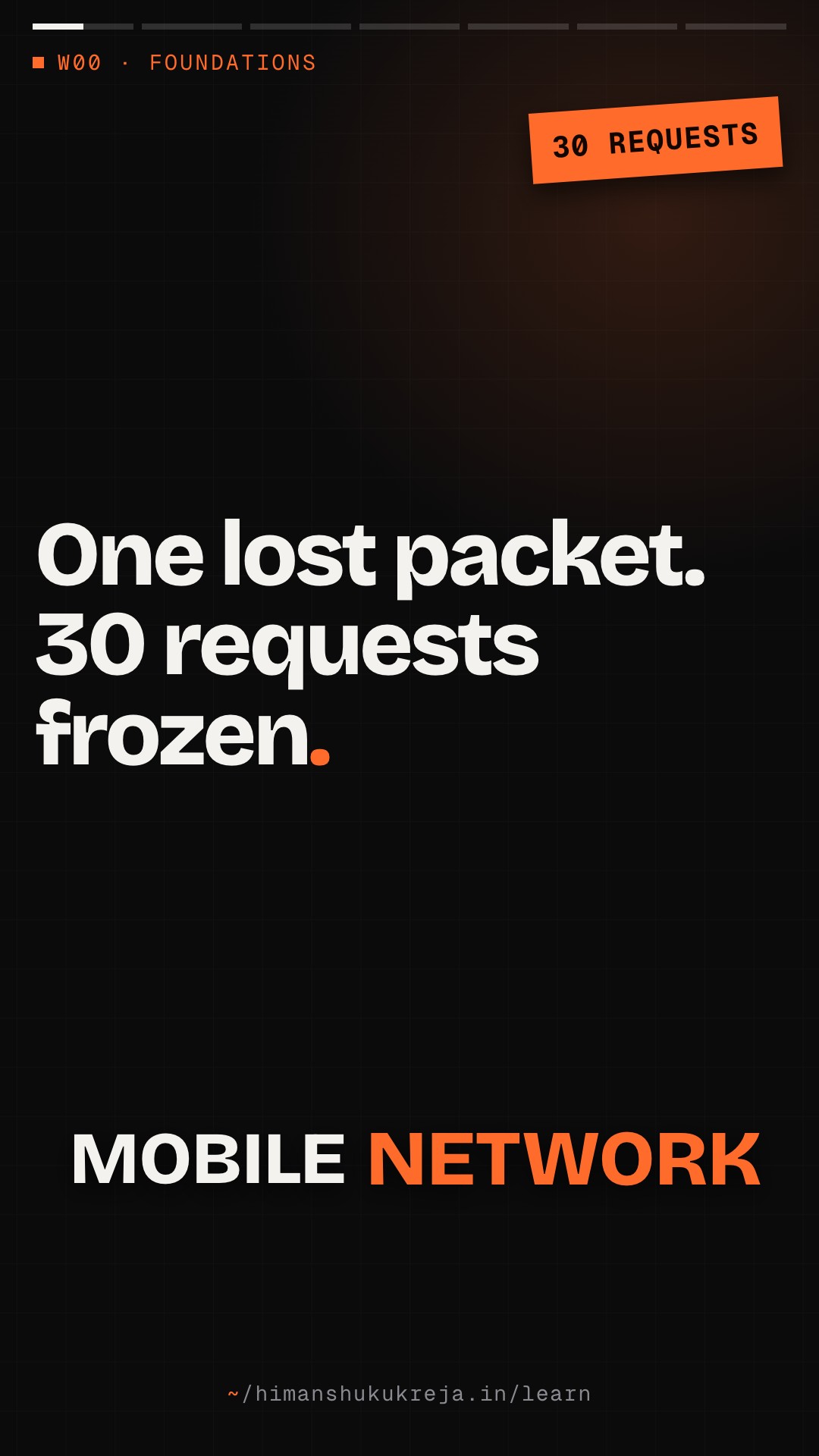
- One lost packet blocks ALL streams
- This is why HTTP/3 uses QUIC (UDP-based)
Packets 1-5 carry HTTP streams 1, 3 and 5, and packet 2 is lost. Over one TCP connection (HTTP/2) packets 3, 4 and 5 wait for the retransmission of 2, so every stream stalls. QUIC (HTTP/3) orders data per stream, so streams 1 and 5 are delivered at once and only stream 3 waits.
Chapter 4: UDP — The Fast Protocol#
4.1 UDP Characteristics#
- ok — Fast: No handshake needed, just send
- ok — Lightweight: 8-byte header vs 20+ bytes for TCP
- ok — Message-based: Preserves message boundaries (unlike TCP byte stream)
- ok — Supports multicast/broadcast: Send to multiple recipients efficiently
- no — No reliability: Packets may be lost, duplicated, or reordered. Application must handle this
- no — No congestion control: Can overwhelm network if unchecked. Application should implement rate limiting
Why do DNS lookups use UDP?
Almost every request starts with a DNS lookup, and TCP would make each one reliable. Why do DNS queries usually go over UDP anyway? What do you give up?
One strong answer
- A DNS query and its answer each fit in a single packet. Over TCP you'd first pay a whole round trip for the handshake, just to send one small message.
- UDP just sends. If the packet is lost, the client asks again, which is cheap for a tiny request.
- What you give up: delivery and ordering guarantees, which a one-packet request/response doesn't need.
4.2 UDP Use Cases#
-
Real-time applications
- Live/real-time video (WebRTC, cloud gaming streams)
- Voice/Video calls (Zoom, Discord)
- Online gaming
Why: Late data is useless. Better to skip than wait.
-
DNS queries
- Simple request/response
- Fits in single packet
- Can retry if lost
-
Health checks / heartbeats
- Small, frequent messages
- Missing one is not critical
-
QUIC protocol (HTTP/3)
- Built reliability on top of UDP
- Avoids TCP head-of-line blocking
4.3 TCP vs UDP Comparison#
| Feature | TCP | UDP |
|---|---|---|
| Connection | Required (3-way) | None |
| Reliability | Guaranteed | Best effort |
| Ordering | Guaranteed | No guarantee |
| Flow control | Yes | No |
| Congestion control | Yes | No |
| Message boundaries | No (byte stream) | Yes (datagrams) |
| Header size | 20-60 bytes | 8 bytes |
| Speed | Slower | Faster |
| Use cases | HTTP, SMTP, SSH | DNS, VoIP, Gaming, QUIC |
Chapter 5: Ports and Sockets#
5.1 Port Numbers#
0 - 1023 · Well-known ports (System/Privileged)
| Port | Service |
|---|---|
| 20, 21 | FTP (data, control) |
| 22 | SSH |
| 23 | Telnet |
| 25 | SMTP |
| 53 | DNS |
| 80 | HTTP |
| 443 | HTTPS |
1024 - 49151 · Registered ports (User)
| Port | Service |
|---|---|
| 3306 | MySQL |
| 5432 | PostgreSQL |
| 6379 | Redis |
| 8080 | HTTP alternate |
| 9092 | Kafka |
| 27017 | MongoDB |
49152 - 65535 · Dynamic/ephemeral ports
- Used for client-side connections
- OS assigns automatically
5.2 Sockets: The Connection Identifier#
SOCKET = IP Address + Port + Protocol
A connection is uniquely identified by 5-tuple: (Protocol, Source IP, Source Port, Dest IP, Dest Port)
| Protocol | Client side (Source IP, Source Port) | Server side (Dest IP, Dest Port) |
|---|---|---|
TCP |
192.168.1.100, 54321 |
93.184.216.34, 443 |
Example: (TCP, 192.168.1.100, 54321, 93.184.216.34, 443)
Server socket
- Listens on
(*, 443)- any IP, port 443 - Can handle many connections simultaneously
- Each connection is unique 5-tuple
Client socket
- OS assigns ephemeral port (e.g., 54321)
- Connects to server IP:port
What breaks at 600 new connections a second?
A Linux app server opens a new TCP connection to Redis for every request and closes it straight after. Linux gives it ~28,000 ephemeral ports, and each closed connection holds its port in TIME_WAIT for 60 seconds. Is 200 connections a second safe? What happens at 600?
One strong answer
- 200/s: 200 × 60 = 12,000 ports held at once, well inside ~28,000.
- 600/s: 600 × 60 = 36,000 ports needed. The range runs out after about 28,000 ÷ 600 ≈ 47 seconds, and new connections fail with "Cannot assign requested address".
- Redis is fine the whole time. The client runs out of local ports. Connection pooling fixes it by reusing a few long-lived connections.
5.3 Ephemeral Port Exhaustion#
Server making many outbound connections (e.g., to database, cache)
- Available ephemeral ports: 49152 - 65535 (IANA range) = ~16,000 ports (Linux defaults to 32768-60999, ~28,000)
- Each connection uses one port until TIME_WAIT expires (60-120 sec)
- At 500 connections/second: 500 × 60 = 30,000 ports needed — more than either range provides!
Result: "Cannot assign requested address" errors
Solutions
- Connection pooling (reuse connections)
- Increase ephemeral port range:
net.ipv4.ip_local_port_range - Reuse TIME_WAIT sockets for new outbound connections:
net.ipv4.tcp_tw_reuse = 1 - Use connection timeouts
TCP, UDP and ports
Q1/3 A service opens a fresh TCP connection to its database for every query, about 500 per second. After a minute it starts failing with "Cannot assign requested address". What is happening?
Answer & explanation
Answer: B
Each closed connection holds its ephemeral port through TIME_WAIT; at 500/s you need about 30,000 ports but only about 16,000 exist (about 28,000 with Linux defaults). The fix is connection pooling. A DB connection limit would show up as a server-side refusal, not a local address error.
Q2/3 During a voice call one UDP packet is lost. Why is UDP the right choice here rather than TCP?
Answer & explanation
Answer: C
TCP's ordered delivery causes head-of-line blocking: packets 3, 4, 5 wait for packet 2. For real-time audio, skipping is better than stalling. UDP does not retransmit at all; any recovery is up to the application.
Q3/3 You send two JSON messages over a raw TCP socket. The receiver's first
read()returns one and a half messages. Why?Answer & explanation
Answer: A
TCP guarantees bytes arrive in order, not that your messages arrive as units. You need framing, such as a length prefix or a delimiter. Lost packets are retransmitted transparently; the app never sees a "partial retransmission".
Part II: Application Layer Protocols#
Chapter 6: HTTP Protocol Deep Dive#
6.1 HTTP/1.1#
HTTP/1.1 REQUEST

  GET /api/users/123 HTTP/1.1      ← Request line
  Host: api.example.com            ← Required header
  Accept: application/json         ← Content negotiation
  Authorization: Bearer xyz123     ← Authentication
  Connection: keep-alive           ← Reuse connection

  [empty line]                     ← Separates headers from body
  [optional body]


HTTP/1.1 RESPONSE

  HTTP/1.1 200 OK                  ← Status line
  Content-Type: application/json   ← Body format
  Content-Length: 27               ← Body size (bytes)
  Cache-Control: max-age=3600      ← Caching directive

  [empty line]
  {"id": 123, "name": "John"}      ← Response body
6.2 HTTP Methods#
| Method | Safe | Idempotent | Body | Use case |
|---|---|---|---|---|
GET |
Yes | Yes | No | Retrieve resource |
HEAD |
Yes | Yes | No | Get headers only |
POST |
No | No | Yes | Create resource |
PUT |
No | Yes | Yes | Replace resource |
PATCH |
No | No* | Yes | Partial update |
DELETE |
No | Yes | No | Remove resource |
OPTIONS |
Yes | Yes | No | Get allowed methods |
- Safe: Doesn't modify server state
- Idempotent: Multiple identical requests = same result as one
- * PATCH can be idempotent if designed correctly
6.3 HTTP Status Codes#
1xx Informational
| Code | Meaning |
|---|---|
| 100 Continue | "Keep sending, I'm ready" |
| 101 Switching Proto | "Upgrading to WebSocket" |
2xx Success
| Code | Meaning |
|---|---|
| 200 OK | Standard success |
| 201 Created | Resource created (POST) |
| 202 Accepted | Request accepted, processing async |
| 204 No Content | Success, no body (DELETE) |
3xx Redirection
| Code | Meaning |
|---|---|
| 301 Moved Permanent | Resource moved forever |
| 302 Found | Temporary redirect |
| 304 Not Modified | Use cached version |
| 307 Temp Redirect | Redirect, keep method |
| 308 Perm Redirect | Permanent, keep method |
4xx Client error
| Code | Meaning |
|---|---|
| 400 Bad Request | Invalid syntax |
| 401 Unauthorized | Authentication required |
| 403 Forbidden | Authenticated but not allowed |
| 404 Not Found | Resource doesn't exist |
| 405 Method Not Allow | This method not supported |
| 408 Request Timeout | Client too slow |
| 409 Conflict | State conflict (concurrent edit) |
| 422 Unprocessable | Validation failed |
| 429 Too Many Request | Rate limited |
5xx Server error
| Code | Meaning |
|---|---|
| 500 Internal Error | Generic server error |
| 502 Bad Gateway | Upstream error (from proxy/LB) |
| 503 Service Unavail | Server overloaded/maintenance |
| 504 Gateway Timeout | Upstream timeout |
6.4 HTTP/1.1 Limitations#
1. Head-of-line blocking
One connection = one request at a time
| Request | Status |
|---|---|
| Request 1 → | [slow response] |
| Request 2 | [waiting...] |
| Request 3 | [waiting...] |
- Workaround: Open multiple connections (browsers use 6-8)
- Problem: More TCP handshakes, more memory
2. Header overhead
Headers sent as plain text; same headers repeated for every request
Cookie: session=abc123def456...  (100s of bytes, every request!)
User-Agent: Mozilla/5.0 (Windows NT 10.0; Win64; x64)...
Accept: text/html,application/xhtml+xml,application/xml;q=0.9...
3. No server push
Server can't proactively send data. Client must request everything.
6.5 HTTP/2#
1. Multiplexing
Multiple requests/responses over single TCP connection. No head-of-line blocking at HTTP level.
One connection carrying interleaved streams:
| Stream 1 | Stream 3 | Stream 1 | Stream 5 |
|---|---|---|---|
| Request | Request | Response | Request |
2. Header compression (HPACK)
- Headers compressed and indexed
- Send only differences from previous request
- Cloudflare measured request headers shrinking by about 76% on average (responses about 69%)
3. Binary protocol
- Binary framing instead of text
- More efficient parsing
- Not human-readable (use tools like curl, Wireshark)
4. Server push
- Server can send resources before client requests
- Example: Push CSS when HTML is requested
- (Rarely used in practice; Chrome removed it in version 106 and Firefox turned it off by default in version 132)
5. Stream prioritization
- Client can indicate priority of streams
- Server can optimize delivery order
Limitation: Still runs on TCP → TCP head-of-line blocking affects all streams
What breaks when a phone leaves Wi-Fi mid-download?
A user is downloading a file over HTTP/2 when their phone switches from Wi-Fi to cellular and gets a new IP address. What happens to the TCP connection? What would let the download carry on?
One strong answer
- A TCP connection is identified by its addresses and ports (the 5-tuple). A new source IP means a different tuple, so the old connection is dead. The client must open a new one, with fresh TCP and TLS handshakes, and restart or resume the download.
- QUIC (HTTP/3) identifies a connection by a connection ID, not IP:port, so the connection can migrate to the new address and carry on.
6.6 HTTP/3 and QUIC#
Key change: Runs on UDP instead of TCP
| Version | Stack |
|---|---|
| HTTP/1.1, HTTP/2 | HTTP → TCP → IP |
| HTTP/3 | HTTP → QUIC → UDP → IP |
Benefits
- No TCP head-of-line blocking — Lost packet only affects its stream, not others
- Faster connection establishment — 0-RTT or 1-RTT (vs 2 RTT for TCP + TLS 1.3, 3 RTT with TLS 1.2)
- TCP + TLS 1.3: TCP SYN → SYN-ACK → ACK (1 RTT before the client can send); TLS ClientHello → ServerHello → Finished (1 RTT); Total: 2 RTT (3 with TLS 1.2)
- QUIC: Initial packet contains crypto + data (1 RTT); Resumption: 0-RTT (send data immediately)
- Connection migration — Connection survives IP change (mobile switching WiFi to cellular); connection identified by ID, not IP:port
- Built-in encryption — TLS 1.3 mandatory, even packet numbers encrypted
Adoption
- Google services (YouTube, Search)
- Cloudflare
- About a fifth of requests to Cloudflare in 2025 (~21%, Cloudflare Radar)
Estimate it: a fresh HTTPS connection from New York to London
A client in New York calls an API in London, about 80 ms RTT away, over HTTPS with TLS 1.3. How long until the response arrives on a brand-new connection? How long on a connection that's already open? What if the server only does TLS 1.2?
One strong answer
- New connection: TCP handshake 1 RTT + TLS 1.3 handshake 1 RTT + request and response 1 RTT = 3 RTT ≈ 240 ms, ignoring server time.
- Reused connection: just the request and response, 1 RTT ≈ 80 ms.
- TLS 1.2: one more round trip, 4 RTT ≈ 320 ms for a new connection.
- So reuse cuts the time to a third. That's what keep-alive and connection pools are for.
6.7 HTTP Keep-Alive vs Connection Pooling#
HTTP keep-alive (HTTP/1.1)
Without Keep-Alive:
- Request 1: TCP Handshake → HTTP Request → Response → TCP Close
- Request 2: TCP Handshake → HTTP Request → Response → TCP Close
- Request 3: TCP Handshake → HTTP Request → Response → TCP Close
With Keep-Alive:
- TCP Handshake
- Request 1 → Response 1
- Request 2 → Response 2 (reuse same connection)
- Request 3 → Response 3
- TCP Close (after idle timeout)
Connection pooling (application level)
| Connection 1 | Connection 2 | Connection 3 |
|---|---|---|
| (idle) | (in use) | (idle) |
Pool size: 10 · Active: 3 · Idle: 7 · Waiting: 0
Benefits:
- Avoid TCP/TLS handshake per request
- Limit total connections (prevent exhaustion)
- Health checking of connections
Common configurations:
- Database pool: 10-50 connections
- HTTP client pool: 100-500 connections
- Redis: Small pool, or one multiplexed connection per client (e.g. Lettuce) with pipelining
Chapter 7: WebSocket Protocol#
7.1 WebSocket vs HTTP#
%% title: HTTP vs WebSocket
sequenceDiagram
  participant C as Client
  participant S as Server
  Note over C,S: HTTP (Request-Response)
  C->>S: Request
  S-->>C: Response
  Note right of S: Connection closed
  C->>S: Request
  S-->>C: Response
  Note over C: Server cannot initiate!
  Note over C,S: WEBSOCKET (Bidirectional)
  C->>S: HTTP Upgrade Request
  S-->>C: 101 Switching Protocols
  Note over C,S: WebSocket Open
  C->>S: Message
  S-)C: Message
  Note right of S: Server can push anytime!
  S-)C: Message
  C->>S: Message
  Note over C,S: Connection persists
7.2 WebSocket Handshake#
WEBSOCKET UPGRADE REQUEST

  GET /chat HTTP/1.1
  Host: server.example.com
  Upgrade: websocket                    ← Request upgrade
  Connection: Upgrade
  Sec-WebSocket-Key: dGhlIHNhbXBsZS...  ← Random key
  Sec-WebSocket-Version: 13

WEBSOCKET UPGRADE RESPONSE

  HTTP/1.1 101 Switching Protocols
  Upgrade: websocket
  Connection: Upgrade
  Sec-WebSocket-Accept: s3pPLMBiTxa...  ← Key + magic string, hashed

After this, raw WebSocket frames flow (binary protocol)
7.3 WebSocket Use Cases#
When to use WebSocket
- Real-time bidirectional communication
- Chat applications
- Collaborative editing (Google Docs)
- Live sports scores
- Server needs to push frequently
- Stock tickers
- Gaming state updates
- Live dashboards
- Low latency required
- Online gaming
- Trading platforms
When not to use
- Request-response pattern
- REST APIs (use HTTP)
- Infrequent updates
- Use polling or long-polling
- One-way server push
- Consider Server-Sent Events (SSE)
7.4 WebSocket Scaling Challenges#
1. Connection persistence
- Each connection = memory + file descriptor
- 100K connections = significant server resources
Solutions:
- Use async I/O (Node.js, Go, Rust)
- Tune OS limits (ulimit, sysctl)
2. Load balancer stickiness
WebSocket = stateful connection. Must route to same server!
Solutions:
- Sticky sessions (IP hash, cookie)
- Connection-aware load balancing
3. Horizontal scaling
User A on Server 1, User B on Server 2 — how does A's message reach B?
- Problem: Server 1 (User A) → ?? How to reach ?? → Server 2 (User B)
- Solution: Pub/Sub backbone (Redis, Kafka) — Server 1 (User A) → Redis Pub/Sub ← Server 2 (User B)
- Server 1 publishes to Redis
- Server 2 subscribes, delivers to User B
4. Reconnection handling
Mobile connections drop frequently. Must handle reconnection + state sync.
Solution:
- Client-side reconnection with exponential backoff
- Last-message-ID for catching up
Chapter 8: Server-Sent Events (SSE)#
%% title: Server-sent events (SSE) · one-way channel, server → client
sequenceDiagram
  participant C as Client
  participant S as Server
  C->>S: GET /events
  S-->>C: 200 OK · Content-Type: text/event-stream
  S-)C: data: {"price": 100}
  S-)C: data: {"price": 101}
  S-)C: data: {"price": 99}
  Note over C,S: Connection held open
Advantages over WebSocket:
- ✓ Uses standard HTTP (works with existing infrastructure)
- ✓ Automatic reconnection built into browser API
- ✓ Simpler than WebSocket for server push only
- ✓ Works through HTTP/2 efficiently
Limitations:
- ✗ One-way only (server to client)
- ✗ Text-based (no binary)
- ✗ Some browser limits on connections per domain
Use cases: News feeds · Stock prices · Notifications · Build/deployment status
Chapter 9: gRPC Protocol#
9.1 gRPC Overview#
gRPC = a Remote Procedure Call framework, originally from Google
Stack: Application ← gRPC ← Protocol Buffers ← HTTP/2 ← TCP
Key features
- Protocol Buffers (Protobuf) — Binary serialization format; strongly typed; typically several times smaller and faster to (de)serialize than JSON
- HTTP/2 — Multiplexing, header compression; bidirectional streaming
- Code generation — Generate client/server stubs from
.protofiles; supports many languages (Go, Java, Python, C++, etc.) - Four communication patterns — Unary, Server streaming, Client streaming, Bidirectional
9.2 gRPC Communication Patterns#
%% title: gRPC communication patterns
sequenceDiagram
  participant C as Client
  participant S as Server
  Note over C,S: 1. UNARY (Simple Request-Response)
  C->>S: Request
  S-->>C: Response
  Note over C,S: Use: Simple API calls (like REST)
  Note over C,S: 2. SERVER STREAMING
  C->>S: Request
  S-->>C: Response 1
  S-->>C: Response 2
  S-->>C: Response 3
  S-->>C: End
  Note over C,S: Use: Large result sets, real-time updates
  Note over C,S: 3. CLIENT STREAMING
  C->>S: Request 1
  C->>S: Request 2
  C->>S: Request 3
  C->>S: End
  S-->>C: Response
  Note over C,S: Use: File upload, batch processing
  Note over C,S: 4. BIDIRECTIONAL STREAMING
  C->>S: Request 1
  S-->>C: Response 1
  C->>S: Request 2
  S-->>C: Response 2
  S-->>C: Response 3
  C->>S: Request 3
  Note over C,S: Use: Chat, real-time collaboration
9.3 gRPC vs REST#
| Aspect | gRPC | REST |
|---|---|---|
| Protocol | HTTP/2 | HTTP/1.1 or HTTP/2 |
| Data format | Protobuf (binary) | JSON (text) |
| API contract | .proto files | OpenAPI/Swagger |
| Code generation | Built-in | Optional |
| Browser support | Limited (grpc-web) | Native |
| Streaming | Full support | Limited |
| Human readable | No | Yes |
| Performance | Faster | Slower |
| Tooling | Specialized | Universal (curl, etc.) |
| Learning curve | Steeper | Gentler |
Use gRPC when
- Microservices communication (internal)
- High performance required
- Streaming needed
- Strong typing desired
Use REST when
- Public API
- Browser clients
- Simple CRUD operations
- Human debugging needed
HTTP, WebSocket, SSE and gRPC
Q1/4 A mobile app uses HTTP/2 to multiplex 30 requests over one TCP connection on a lossy network. One packet is lost. What happens, and what fixes it?
Answer & explanation
Answer: C
HTTP/2 removed head-of-line blocking at the HTTP level, but TCP still delivers bytes in order, so one loss blocks every stream. QUIC runs over UDP and tracks streams independently, so a loss only delays its own stream.
Q2/4 After a timeout, which request can a client retry automatically without risking a duplicate effect?
Answer & explanation
Answer: A
PUT is idempotent: sending the same full replacement twice leaves the same state as once. POST is not idempotent, so a blind retry can create two orders. An "add one item" PATCH is not idempotent either.
Q3/4 A chat service runs on 10 WebSocket servers. User A is connected to server 1 and user B to server 2. What lets A's message reach B?
Answer & explanation
Answer: B
Server 1 publishes the message and server 2, subscribed, pushes it down B's socket. Sticky sessions keep each user on one server, but they do not connect two servers to each other.
Q4/4 A dashboard only needs the server to push build-status updates, should use plain HTTP infrastructure, and must reconnect automatically. What fits best?
Answer & explanation
Answer: B
SSE is one-way server-to-client over standard HTTP, and the browser API reconnects for you. WebSocket works too, but it is bidirectional and more complex than one-way push needs.
Part III: Security and Encryption#
Chapter 10: TLS/SSL Deep Dive#
10.1 TLS Handshake#
%% title: TLS 1.3 handshake (simplified)
sequenceDiagram
  autonumber
  participant C as Client
  participant S as Server
  C->>S: ClientHello<br/>+ Supported cipher suites<br/>+ Random number<br/>+ Key share (for ECDH)
  S-->>C: ServerHello<br/>+ Chosen cipher suite<br/>+ Random number<br/>+ Key share<br/>+ Certificate<br/>+ Certificate verify<br/>+ Finished
  C->>S: Finished
  Note over C,S: Encrypted Data
TLS 1.3 improvements:
- 1-RTT handshake (vs 2-RTT in TLS 1.2)
- 0-RTT resumption (with caveats)
- Removed weak ciphers
- Encrypted more of the handshake
10.2 Certificate Chain#
%% title: Certificate chain of trust
flowchart TD
  R["Root CA<br/>(DigiCert, Let's Encrypt, etc.)<br/>· Pre-installed in browsers/OS<br/>· Self-signed<br/>· Extremely protected (offline)"]:::core
  R -->|"Signs"| I["Intermediate CA<br/>· Signed by Root CA<br/>· Issues end-entity certificates<br/>· Can be revoked without affecting root"]:::service
  I -->|"Signs"| E["End-entity certificate<br/>Subject: www.example.com<br/>Public Key: [RSA 2048 or ECDSA P-256]<br/>Valid: 2024-01-01 to 2025-01-01<br/>Issuer: Intermediate CA"]:::edge
Validation:
- Server sends: End cert + Intermediate cert
- Client has: Root certs pre-installed
- Client verifies: End → Intermediate → Root (chain complete)
10.3 HTTPS Everywhere#
- Data integrity — Prevents man-in-the-middle modifications
- Confidentiality — Encrypts all data in transit
- Authentication — Verifies server identity
- SEO & trust — Google ranks HTTPS higher; browsers show "Not Secure" for HTTP
- Required for modern features — HTTP/2 (in browsers), HTTP/3, Service Workers, Geolocation all require HTTPS
Performance overhead
- TLS handshake: 1-2 RTT (use TLS 1.3, session resumption)
- Encryption: around 1% CPU overhead or less (Google reported under 1% on its frontends; hardware acceleration helps)
- Worth it: Security benefits outweigh costs
10.4 mTLS (Mutual TLS)#
- Standard TLS: Client verifies server's certificate. Server doesn't verify client.
- Mutual TLS: Client verifies server's certificate. Server ALSO verifies client's certificate.
%% title: Mutual TLS (mTLS)
sequenceDiagram
  autonumber
  participant C as Client
  participant S as Server
  C->>S: Presents client certificate
  S-->>C: Validates certificate
  Note over C,S: Both sides authenticated
Use cases:
- Service-to-service authentication (microservices)
- API authentication (replacement for API keys)
- Zero-trust networks
- IoT device authentication
Implementation:
- Service mesh (Istio, Linkerd) handles automatically
- Or configure in application/load balancer
Chapter 11: DNS Security#
11.1 DNS Attacks and Mitigations#
1. DNS spoofing / cache poisoning
Attacker injects false DNS records into cache
- User asks: "Where is bank.com?"
- Attacker responds: "192.168.1.100" (attacker's server)
- User visits fake site, enters credentials
Mitigation: DNSSEC
2. DNS amplification attack (DDoS)
- Attacker sends DNS queries with spoofed source IP (victim's IP)
- DNS servers send large responses to victim
- Small query → Large response = Amplification
Mitigation: Rate limiting, response rate limiting (RRL)
3. DNS tunneling
- Encode data in DNS queries to bypass firewalls
- Used for data exfiltration
Mitigation: DNS monitoring, query analysis
11.2 DNSSEC#
Problem: DNS responses are not authenticated. Anyone can claim to be the authority for a domain.
Solution: Cryptographically sign DNS records.
How it works
- Zone owner creates DNSKEY (public/private key pair)
- Signs all records with private key → RRSIG records
- Parent zone publishes a DS record (hash of the child's key), signed by the parent
- Chain of trust from root → TLD → domain
Resolver validates signatures up to root.
Limitations
- Doesn't encrypt (use DoH/DoT for that)
- Complex to deploy
- Larger responses
- Not universally adopted
11.3 DNS over HTTPS (DoH) and DNS over TLS (DoT)#
Problem: Traditional DNS is plaintext. ISP, network operators can see all your DNS queries.
Solutions
| DNS over HTTPS (DoH) | DNS over TLS (DoT) | |
|---|---|---|
| Transport | DNS queries over HTTPS (port 443) | DNS queries over TLS (port 853) |
| Visibility | Looks like regular web traffic; harder to block | Dedicated port, easier to identify |
| Used by | Browsers (Firefox, Chrome) | Android, system resolvers |
Public DoH servers
- Cloudflare:
https://cloudflare-dns.com/dns-query - Google:
https://dns.google/dns-query - Quad9:
https://dns.quad9.net/dns-query
TLS and DNS security
Q1/3 In a zero-trust network, the payments service must prove which service is calling it, not just encrypt traffic. What do you use?
Answer & explanation
Answer: A
With standard TLS only the client checks the server. mTLS adds client certificates so both sides are authenticated; service meshes automate it. DNSSEC protects name lookups from spoofing, not the identity of whoever calls your API.
Q2/3 You want to stop the local network operator from seeing which domains users look up. Which option actually does that?
Answer & explanation
Answer: C
DoH and DoT encrypt the query in transit. DNSSEC proves the answer is authentic but sends it in plaintext. TTLs only change how often lookups happen, not who can read them.
Q3/3 Why does a server send its intermediate CA certificate along with its own?
Answer & explanation
Answer: B
The client verifies End -> Intermediate -> Root, and only roots are pre-installed, so the server must supply the middle link. Session keys come from the key exchange in the handshake, not from any certificate.
Part IV: Network Performance#
Chapter 12: Latency Deep Dive#
12.1 Components of Latency#
Total Latency = Propagation + Transmission + Processing + Queuing
1. Propagation delay
Time for signal to travel through medium. Limited by speed of light!
- Light in fiber: ~200,000 km/s (2/3 speed of light)
- NYC to London: ~5,500 km
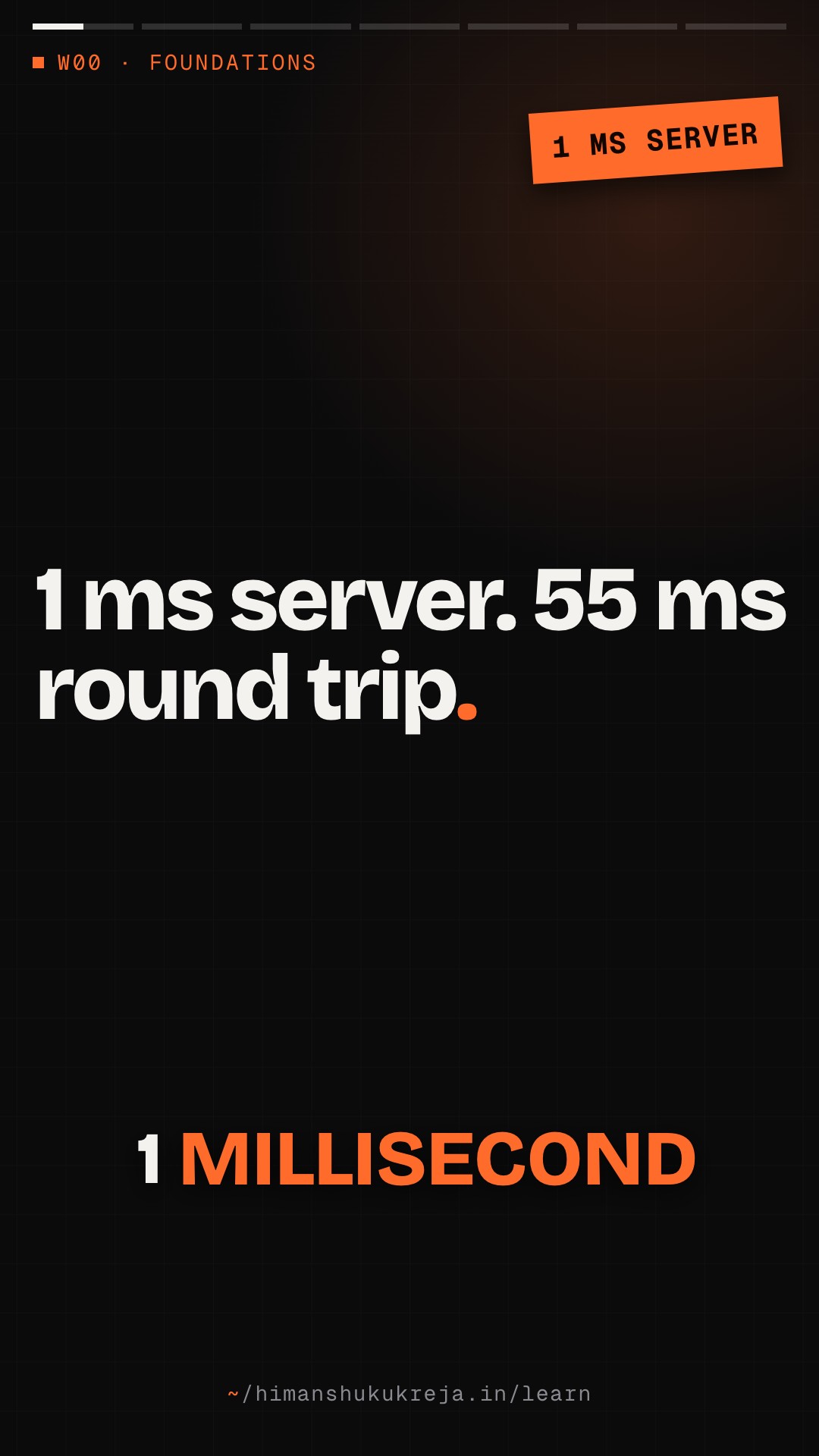
- Minimum RTT: ~55 ms (just physics!)
2. Transmission delay
Time to push all bits onto the wire = Packet size / Bandwidth
- 1 MB file on 100 Mbps link = 80 ms
- 1 MB file on 1 Gbps link = 8 ms
3. Processing delay
Time for routers/servers to process packet. Usually microseconds per hop.
4. Queuing delay
Time waiting in buffers. Highly variable! Depends on congestion.
12.2 Real-World Latency Numbers#
Network operations
| Path | Latency |
|---|---|
| Same datacenter (same rack) | 0.5 ms |
| Same datacenter (different rack) | 1 ms |
| Same region (different AZ) | 1-2 ms |
| Cross-region (same continent) | 20-50 ms |
| Cross-continent | 100-200 ms |
| Geostationary satellite | 600+ ms |
TCP connection (per handshake)
| Path | Latency |
|---|---|
| Same datacenter | ~0.5 ms (1 RTT) |
| Cross-region | ~20-50 ms (1 RTT); cross-continent ~100-200 ms |
TLS handshake (additional)
| Version | Cost |
|---|---|
| TLS 1.2 | 2 RTT |
| TLS 1.3 | 1 RTT |
| TLS 1.3 resumption | 0 RTT |
DNS resolution
| Case | Latency |
|---|---|
| Cached locally | <1 ms |
| Cached at resolver | 1-10 ms |
| Full resolution | 50-200 ms |
12.3 Reducing Latency#
- Move closer to users
- CDN for static content
- Edge computing for dynamic
- Multi-region deployment
- Reduce round trips
- Connection pooling (avoid TCP handshake)
- HTTP/2, HTTP/3 (multiplexing)
- TLS session resumption
- DNS prefetching
- Reduce data size
- Compression (gzip, brotli)
- Efficient formats (protobuf vs JSON)
- Pagination
- Parallelize
- Concurrent requests
- Async I/O
- Connection multiplexing
- Cache aggressively
- Browser cache
- CDN cache
- Application cache
- Database query cache
Chapter 13: Bandwidth and Throughput#
13.1 Understanding the Difference#
| Bandwidth (Capacity) | Throughput (Actual Rate) | Latency (Delay) | |
|---|---|---|---|
| What | Maximum data rate of a link | Actual data rate achieved; always <= Bandwidth | Time for one unit to travel |
| Like | Width of a highway (lanes) | Number of cars actually passing per hour | Time for one car to travel the highway |
| Measured in | bits per second (bps, Mbps, Gbps) | bits per second | milliseconds |
Example
- Pipe: 1 Gbps bandwidth
- Actual throughput: 800 Mbps (due to overhead, congestion)
- Latency: 50 ms
Sending 100 MB:
- Time = Latency + (Size / Throughput)
- Time = 50ms + (800 Mb / 800 Mbps)
- Time = 50ms + 1000ms
- Time = 1050ms
13.2 Bandwidth-Delay Product#
BDP = Bandwidth × RTT — this is how much data can be "in flight" in the network.
Example
- Bandwidth: 1 Gbps
- RTT: 100 ms
- BDP = 1 Gbps × 100ms = 100 Mb = 12.5 MB
To fully utilize this link, you need 12.5 MB of data in transit at any time!
Why it matters
- TCP receive window must be >= BDP
- Default window often too small for long-fat networks
- Need TCP window scaling for high-bandwidth, high-latency links
Chapter 14: Network Address Translation (NAT)#
14.1 How NAT Works#
Problem: Not enough public IPv4 addresses for every device. Solution: Multiple devices share one public IP.
%% title: NAT (network address translation) · how it works
flowchart TD
  subgraph PN["Private network"]
    DA@{ icon: "sd:laptop", label: "Device A<br/>192.168.1.100" }
  end
  subgraph NR["NAT router"]
    NAT@{ icon: "sd:router", label: "NAT" }
  end
  subgraph INET["Internet"]
    SRV@{ icon: "sd:server", label: "Server" }
  end
  DA -->|"Src: 192.168.1.100:54321<br/>Dst: 93.184.216.34:443"| NAT
  NAT -->|"Src: 203.0.113.1:10001 (NAT's public IP:port)<br/>Dst: 93.184.216.34:443"| SRV
  class DA client
  class NAT edge
  class SRV external
NAT table:
| Internal | External |
|---|---|
| 192.168.1.100:54321 | 203.0.113.1:10001 |
| 192.168.1.101:54322 | 203.0.113.1:10002 |
14.2 NAT Types and Implications#
| Type | Behaviour |
|---|---|
| 1. Full cone NAT | Any external host can send to mapped port. Most permissive |
| 2. Restricted cone NAT | Only hosts that internal client contacted can send back |
| 3. Symmetric NAT | Different mapping for each destination. Most restrictive, breaks some P2P protocols |
System design implications
- Inbound connections — Can't directly connect to device behind NAT. Solutions: Port forwarding, UPnP, hole punching
- P2P communication — Both clients behind NAT = difficult. Solutions: STUN, TURN, ICE (used by WebRTC)
- Connection limits — NAT port exhaustion possible with many connections
Latency, bandwidth and NAT
Q1/3 Users in London call your API in New York. You cut server processing to 1ms, but round trips stay above about 55ms. Why, and what helps?
Answer & explanation
Answer: A
NYC to London is about 5,500 km, and light in fiber covers about 200,000 km/s, so about 55ms RTT is physics. More bandwidth shrinks transmission delay for big payloads, but it cannot make light travel faster.
Q2/3 Sending 100 MB with 50ms latency took about 1.05s at 800 Mbps throughput. Congestion halves throughput to 400 Mbps. About how long does it take now?
Answer & explanation
Answer: C
Time = latency + size / throughput = 50ms + 800 Mb / 400 Mbps = 50ms + 2,000ms. For a large transfer the size/throughput term dominates, so halving throughput roughly doubles the time.
Q3/3 A 1 Gbps link with a 100ms RTT only reaches a small fraction of its bandwidth on a single TCP transfer. What is the likely cause?
Answer & explanation
Answer: A
To fill the pipe you need BDP = 1 Gbps x 100ms = 12.5 MB in flight. A small window makes the sender stop and wait for ACKs. That is why long-fat networks need TCP window scaling; the bottleneck is the window, not the wire.
Part V: Interview Questions and Answers#
Chapter 15: Common Interview Questions#
15.1 TCP/UDP Questions#
Q: "What's the difference between TCP and UDP? When would you use each?"
Great answer:
"TCP is a reliable, connection-oriented protocol that guarantees in-order delivery through acknowledgments and retransmissions. It has congestion control built in. The tradeoff is higher latency due to the three-way handshake and head-of-line blocking.
UDP is a lightweight, connectionless protocol with no delivery guarantees. It's faster since there's no handshake, and packets are independent.
I'd use TCP for:
- HTTP APIs where every request must succeed
- File transfers where completeness matters
- Database connections
I'd use UDP for:
- Real-time video/voice where late data is useless
- DNS queries (simple request-response)
- Gaming where speed matters more than occasional loss
- QUIC/HTTP3 which builds reliability on top of UDP"
Q: "Why does TCP use a three-way handshake instead of two-way?"
Great answer:
"The three-way handshake establishes that BOTH sides can send AND receive.
With a two-way handshake:
- Client sends SYN
- Server sends SYN-ACK
The server knows the client can send and it can receive. But the server doesn't know whether the client received its SYN-ACK (and its initial sequence number), and it can't tell a fresh SYN from a delayed duplicate of an old one.
The third ACK confirms the client received the server's SYN-ACK, so the server knows its message got through. Both sides now have proof of bidirectional communication.
It also prevents old duplicate SYNs (delayed in the network) from establishing unwanted connections."
Q: "What is TCP head-of-line blocking and how does HTTP/3 solve it?"
Great answer:
"TCP guarantees in-order delivery. If packet 2 is lost but packets 3, 4, 5 arrive, TCP can't deliver them to the application until packet 2 is retransmitted and received.
In HTTP/2, multiple streams share one TCP connection. If one stream loses a packet, ALL streams are blocked waiting for retransmission, even if their data arrived fine.
HTTP/3 uses QUIC over UDP. QUIC implements its own reliability per-stream. If stream A loses a packet, only stream A is blocked. Streams B and C continue normally. This dramatically improves performance on lossy networks like mobile."
15.2 HTTP Questions#
Q: "Walk me through what happens when you type a URL in the browser."
Great answer:
"Let me walk through each step:
- DNS Resolution:
- Browser checks its cache
- OS checks its cache
- Query goes to recursive resolver
- If not cached, resolver queries root → TLD → authoritative
- Returns IP address
- TCP Connection:
- Browser opens TCP connection to server IP:443
- Three-way handshake: SYN → SYN-ACK → ACK
- Takes 1 RTT before the request can be sent
- TLS Handshake:
- ClientHello with supported ciphers
- ServerHello with certificate
- Key exchange (usually ECDHE)
- Both sides derive session keys
- Takes 1-2 RTT (TLS 1.3 is 1 RTT)
- HTTP Request:
- Browser sends GET request with headers
- Host, Accept, Cookies, etc.
- Server Processing:
- Load balancer routes to server
- Application processes request
- May query databases, caches
- HTTP Response:
- Server sends status code, headers, body
- Chunked encoding for streaming
- Compression if supported (gzip/brotli)
- Rendering:
- Browser parses HTML
- Discovers CSS, JS, images
- Makes additional requests (hopefully on same connection)
- Builds DOM, CSSOM, renders
If I were optimizing this, I'd focus on:
- CDN to reduce RTT
- HTTP/2 or HTTP/3 for multiplexing
- Connection keep-alive
- DNS prefetching
- Caching at every layer"
Q: "Explain the difference between HTTP/1.1, HTTP/2, and HTTP/3."
Great answer:
"HTTP/1.1:
- Text-based protocol
- One request per connection at a time
- Head-of-line blocking (have to wait for response before next request)
- Browsers work around this by opening 6-8 connections
- Headers sent uncompressed, repeatedly
HTTP/2:
- Binary protocol
- Multiplexing: multiple streams over single connection
- Header compression (HPACK)
- Server push (rarely used now)
- Still uses TCP, so TCP head-of-line blocking affects all streams
HTTP/3:
- Uses QUIC over UDP instead of TCP
- Independent streams (no cross-stream blocking)
- Built-in TLS 1.3 (faster handshake)
- Connection migration (survives IP changes)
- Better for lossy networks (mobile)
In a system design context, I'd consider HTTP/3 for:
- Mobile-heavy applications
- Real-time features
- Global users with varying network quality
But HTTP/2 is still the safe default for most applications since it's widely supported and HTTP/3 is still being adopted."
15.3 Network Architecture Questions#
Q: "How would you design the network architecture for a multi-region deployment?"
Great answer:
"I'd approach this in layers:
- Global Traffic Management:
- Route 53 or Cloudflare for GeoDNS
- Route users to nearest region based on latency
- Health checks with automatic failover
- Edge Layer:
- CDN for static content (CloudFront, Cloudflare)
- Edge functions for simple customization
- DDoS protection at edge
- Regional Architecture:
- VPC per region with /16 CIDR
- Multiple availability zones (at least 2)
- Public subnets for load balancers
- Private subnets for application servers
- Database subnets with no internet access
- Cross-Region Communication:
- VPC peering or Transit Gateway
- Private connectivity (not over internet)
- Consider latency for sync vs async
- Data Strategy:
- Primary database in one region
- Read replicas in other regions
- OR active-active with conflict resolution
- Async replication for non-critical data
Key considerations:
- Data residency requirements (GDPR)
- Cost of cross-region traffic
- Acceptable latency for cross-region calls
- Consistency vs availability tradeoffs"
Q: "How do you handle 10,000 concurrent WebSocket connections?"
Great answer:
"First, let me break down the challenges:
- Connection Management:
- Each connection = file descriptor + memory (~10KB)
- 10K connections = ~100MB memory just for connections
- Need to tune OS limits (ulimit, sysctl)
- Server Architecture:
- Use event-driven runtime (Node.js, Go, Rust)
- Avoid thread-per-connection (doesn't scale)
- Connection timeout and heartbeat handling
- Load Balancing:
- Sticky sessions required (WebSocket = stateful)
- IP hash or cookie-based routing
- Health checks that understand WebSocket
- Horizontal Scaling:
- Users on different servers need to communicate
- Pub/sub backbone with Redis or Kafka
- Server 1 publishes, Server 2 subscribes and delivers
- Specific numbers for 10K connections:
- One modern server can handle 10K easily
- For redundancy, use 3+ servers with ~3.3K each (~5K each if one fails)
- Redis Pub/Sub for cross-server messaging
- Monitor connections per server, memory usage
If we need 100K+ connections, I'd consider:
- Dedicated WebSocket servers (separate from API)
- Connection proxies (e.g., Envoy)
- Sharding by channel/room"
15.4 Security Questions#
Q: "How does HTTPS protect data in transit?"
Great answer:
"HTTPS uses TLS to provide three security properties:
- Authentication:
- Server presents certificate signed by trusted CA
- Client verifies certificate chain to root CA
- Ensures you're talking to the real server, not imposter
- Confidentiality:
- Asymmetric crypto: ECDHE key exchange, RSA/ECDSA signatures for auth
- Symmetric encryption (AES-GCM) for data
- Only client and server can read the data
- Integrity:
- HMAC or AEAD ensures data wasn't modified
- Any tampering is detected
The TLS handshake:
- Client sends supported cipher suites
- Server sends certificate and chosen cipher
- Key exchange (usually ECDHE for forward secrecy)
- Both derive session keys
- All subsequent data is encrypted
For system design, HTTPS is non-negotiable. The small CPU overhead (around 1%) is worth it. I'd also consider mTLS for service-to-service auth in a microservices architecture."
Q: "What's the difference between authentication and authorization?"
Great answer:
"Authentication is WHO you are. Authorization is WHAT you can do.
Authentication:
- Verifying identity
- 'Is this really user X?'
- Methods: password, MFA, OAuth, certificates, biometrics
- Results in: identity token, session
Authorization:
- Verifying permissions
- 'Can user X perform action Y on resource Z?'
- Methods: RBAC, ABAC, ACLs, policy engines
- Results in: allow/deny decision
Example flow:
- User logs in with password (authentication)
- Server issues JWT with user ID (authentication complete)
- User tries to delete a document
- Server checks: 'Can this user delete this document?' (authorization)
- Server allows or denies based on permissions
In system design:
- Centralize authentication (OAuth provider, Auth0, Cognito)
- Distribute authorization checks to services
- Consider policy-as-code (OPA, Cedar) for complex rules
- Cache authorization decisions where safe"
Summary#
Network layers
- Know TCP/IP model (Application, Transport, Internet, Network)
- Understand L4 (TCP/UDP) vs L7 (HTTP) in load balancer context
TCP
- Reliable, ordered, connection-oriented
- 3-way handshake adds latency (1 RTT before the first request)
- Head-of-line blocking affects all streams
- Flow control (receive window) and congestion control built-in
UDP
- Fast, unreliable, connectionless
- Use for: real-time, DNS, QUIC
HTTP evolution
- HTTP/1.1: Text, one request at a time, multiple connections
- HTTP/2: Binary, multiplexing, header compression, still TCP
- HTTP/3: QUIC over UDP, no head-of-line blocking
WebSocket
- Bidirectional, persistent connection
- Scaling requires pub/sub backbone
- Consider SSE for server-push only
Security
- TLS provides auth, confidentiality, integrity
- mTLS for service-to-service
- DNSSEC for DNS integrity
Performance
- Latency = propagation + transmission + processing + queuing
- Speed of light limits minimum latency
- Connection pooling reduces handshake overhead
- CDN moves content closer to users
Further Reading#
RFCs (The Source)#
- Docs
RFC 9293 - TCP (obsoletes RFC 793): https://www.rfc-editor.org/rfc/rfc9293
- Docs
RFC 768 - UDP: https://tools.ietf.org/html/rfc768
- Docs
RFC 9000 - QUIC: https://tools.ietf.org/html/rfc9000
- Docs
RFC 9114 - HTTP/3: https://tools.ietf.org/html/rfc9114
- Docs
RFC 8446 - TLS 1.3: https://tools.ietf.org/html/rfc8446
Books#
- Book
Computer Networking: A Top-Down Approach by Kurose & Ross
- Book
TCP/IP Illustrated, Volume 1 by W. Richard Stevens
- Book
High Performance Browser Networking by Ilya Grigorik (free online)
Interactive Learning#
- Read
How DNS Works: https://howdns.works/
- Read
How HTTPS Works: https://howhttps.works/
- Docs
Cloudflare Learning Center: https://www.cloudflare.com/learning/
Tools#
- Read
Wireshark: Packet analysis
- Read
curl: HTTP debugging
- Read
dig/nslookup: DNS debugging
- Read
tcpdump: Command-line packet capture
- Read
mtr: Network diagnostics (traceroute + ping)
Engineering Blogs#
- Blog
Cloudflare Blog: https://blog.cloudflare.com/
- Blog
Netflix Tech Blog (networking posts): https://netflixtechblog.com/
- Blog
Google Cloud Blog: https://cloud.google.com/blog/
this lesson in shorts · 3
play them all →One idea from this lesson in about a minute each, made for your phone.
Go deeper · reading trail
all reading →Real write-ups from the teams that built these systems. Each opens on the publisher's site in a new tab.
Building Blocks of TCP
Ilya Grigorik · 2013- What
- A free chapter of Ilya Grigorik's book on how TCP actually behaves on real networks.
- Key idea
- The three-way handshake, slow start and head-of-line blocking mean latency, not bandwidth, usually limits performance.
- Why here
- Goes deeper into the TCP chapter here and explains why connection reuse and fewer round trips matter in latency budgets.
HTTP/3: the past, the present, and the future
Alessandro Ghedini, Rustam Lalkaka · 2019- What
- Cloudflare's announcement of HTTP/3 support, with the history from HTTP/1.1 through HTTP/2 to QUIC.
- Key idea
- HTTP/3 runs over QUIC on UDP, combining transport and TLS handshakes and removing TCP's head-of-line blocking.
- Why here
- Ties together the TCP, UDP, HTTP and TLS chapters of this part: each HTTP version is a fix for the previous layer's latency cost.
Real-time Messaging
Sameera Thangudu · 2023- What
- How Slack delivers messages to millions of connected clients in real time.
- Key idea
- Clients hold WebSocket connections to gateway servers, and channel servers fan each message out to the gateways of every subscribed user.
- Why here
- A production view of the WebSocket chapter: long-lived connections, stateful gateways and pub/sub fan-out behind them.
New lessons by email
New lessons, side quests and case files as they ship, at most once a week. No spam, unsubscribe anytime.
Discussion · …
Public: everyone reading this lesson sees comments. Be kind and keep it on the material.