Preface#
You're reviewing a pull request when you notice something alarming:
Pull Request #4521: Add new analytics integration
+++ config/analytics.py
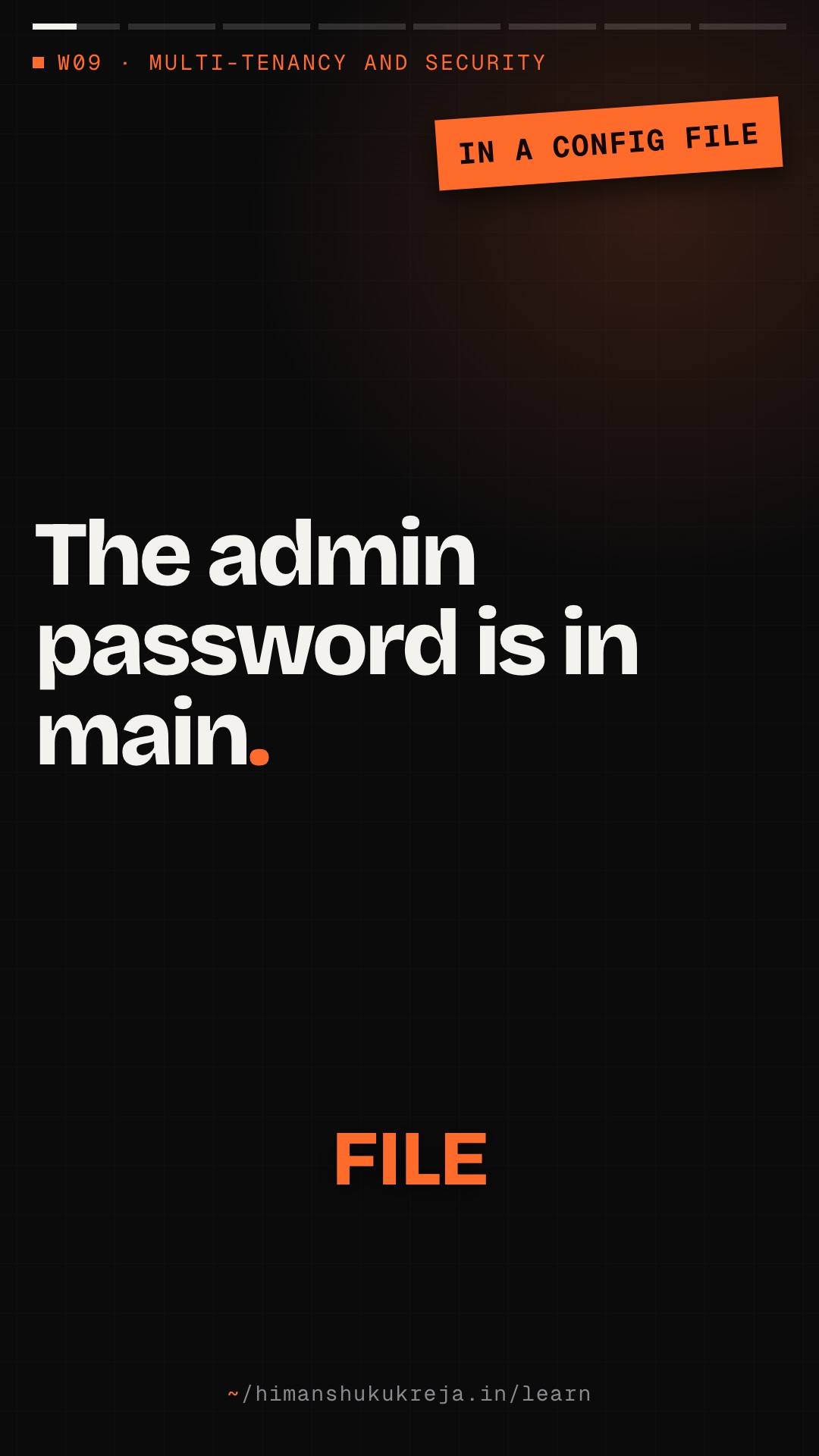
+ ANALYTICS_API_KEY = "sk_live_a8f7g9h2j3k4l5m6n7o8p9"
+ DATABASE_URL = "postgres://admin:SuperSecret123@prod-db.example.com:5432/app"
Your Slack lights up:
Security Bot: ALERT: Credential detected in commit
Security Bot: Repository: backend-api
Security Bot: File: config/analytics.py
Security Bot: Detected: API key, Database password
You check the git history:
commit a1b2c3d (3 hours ago)
Author: junior.dev@company.com
Message: Add analytics integration
This has been in main for 3 hours. Production deployed 2 hours ago.
The secret is now in
- GitHub history (forever unless force-pushed)
- Docker image layers (pushed to registry)
- CI/CD logs (visible to team)
- Developer laptops (git pulled)
- Any forks of the repo
Even if you delete it now, it's been exposed.
Questions
- How did this happen? (No secrets scanning in CI)
- Why could a dev access production DB password? (No separation)
- Why is there a password at all? (Should use IAM roles)
- How do we prevent this forever? (Security architecture)
Today, we'll build a security architecture that makes this class of mistake impossible.
A pull request commits a live API key and the production database password, and within hours the secret is in git history, Docker layers, CI logs, laptops and forks. Defence in depth stops different attacks at each layer: floods at the perimeter, direct database connections at the private network, cross-tenant requests in the application, stolen backups by encryption, with monitoring logging every attempt. Secrets are fetched at runtime and rotated without restarts, every hop uses TLS or mTLS, keys form a master → tenant → data hierarchy in an HSM, and identity combines bcrypt, MFA, 15-minute access tokens, role-based permissions, a tenant check first and a deny-by-default posture.
Part I: Foundations#
Chapter 1: Security Architecture Principles#
1.1 Defense in Depth#
Defense in depth means multiple layers of security controls, so that if one fails, others still protect the system.
- LAYER 1: PERIMETER — WAF (Web Application Firewall) · DDoS protection · Rate limiting · IP allowlisting (for admin)
- LAYER 2: NETWORK — VPC isolation · Security groups · Private subnets for databases · Network ACLs
- LAYER 3: APPLICATION — Authentication (who are you?) · Authorization (what can you do?) · Input validation · Output encoding
- LAYER 4: DATA — Encryption at rest · Encryption in transit · Field-level encryption · Key management
- LAYER 5: MONITORING — Audit logging · Intrusion detection · Anomaly detection · Incident response
Each layer assumes other layers might fail.
Trade-off: a strong wall, or a check at every door?
Your services trust any request that comes from inside the corporate network, behind one strong firewall. A colleague wants every service to authenticate and authorize every request, even internal ones. What does each approach buy you, and what happens the day one laptop inside the network is compromised?
One strong answer
- One strong perimeter is simple: one place to defend, nothing to configure between services. But once an attacker is inside, every service trusts them.
- A check at every service costs more work (authentication on every connection, permissions per request), but a compromised laptop gets only what that user may do.
- So the second design assumes the breach will happen and limits the damage; the first bets everything on the wall.
1.2 Zero Trust Architecture#
Zero Trust means "never trust, always verify" - every request must be authenticated and authorized regardless of network location.
Traditional (perimeter-based)
- Corporate Network — App ─ DB ─ API, all TRUSTED
- [Firewall] — the only check
- [Internet] — UNTRUSTED
Problem: Once inside, attacker has free access
Zero trust
- App ──?──▶ DB ◀──?── API — each service goes through its own [Auth]
- Every connection authenticated
- Every request authorized
- No implicit trust
Key principles
- Verify explicitly (every request)
- Use least privilege access
- Assume breach (design for compromise)
- Micro-segmentation (isolate everything)
In the perimeter model the firewall is the only check: an attacker with phished VPN credentials gets in and reaches the database and API freely. In zero trust every service authenticates and authorizes each request, so the attacker is denied while the app's own mTLS-verified, least-privilege call to the database is allowed.
1.3 Principle of Least Privilege#
WRONG: Over-privileged access
Developer laptop:
- AWS Admin access
- Production database credentials
- All API keys
- Root access to servers
Problem: If laptop compromised, attacker has everything
RIGHT: Minimal necessary access
Developer laptop:
- AWS access: Dev account only, read-only prod
- Database: Dev database only, no prod
- API keys: Test keys only
- Servers: No direct access, use bastion + MFA
Production services:
- App server: Can read DB, can't modify schema
- Worker: Can write to specific queues
- Analytics: Read-only replica access
- Each service: Only what it needs
Implementing least privilege
- Role-based access control (RBAC)
- Just-in-time access (temporary elevation)
- Regular access reviews (remove unused)
- Separate environments (dev/staging/prod)
- Service accounts per function
Chapter 2: Trust Boundaries and Threat Modeling#
2.1 Identifying Trust Boundaries#
%% title: Trust boundary map
flowchart TD
  I@{ icon: "sd:globe", label: "INTERNET (Untrusted)" }
  subgraph DMZ["DMZ / Edge"]
    direction TB
    CDN@{ icon: "sd:cdn", label: "CDN" }
    WAF@{ icon: "sd:firewall", label: "WAF" }
    ALB@{ icon: "tech:elb", label: "ALB" }
  end
  subgraph APPT["Application Tier"]
    direction TB
    API["API"]:::core
    WK@{ icon: "sd:worker", label: "Worker" }
    ADM@{ icon: "sd:dashboard", label: "Admin" }
  end
  subgraph DATAT["Data Tier"]
    direction TB
    DB@{ icon: "sd:database", label: "DB" }
    CA@{ icon: "sd:cache", label: "Cache" }
    S3@{ icon: "tech:s3", label: "S3" }
  end
  I -->|"Boundary 1"| DMZ
  DMZ -->|"Boundary 2"| APPT
  APPT -->|"Boundary 3"| DATAT
  class I client
  class CDN,WAF,ALB edge
  class WK,ADM service
  class DB,S3 store
  class CA cache
Rules:
- Data crossing boundaries must be validated
- Each boundary requires authentication
- Encryption required at every boundary
- Log all cross-boundary access
2.2 STRIDE Threat Modeling#
For each component, consider:
| Threat | Description | Mitigation |
|---|---|---|
| Spoofing | Pretending to be someone else | Strong authentication · MFA, certificates |
| Tampering | Modifying data or code | Input validation · Integrity checks, signing |
| Repudiation | Denying actions taken | Audit logging · Non-repudiation controls |
| Information Disclosure | Exposing data to unauthorized parties | Encryption · Access controls |
| Denial of Service | Making system unavailable | Rate limiting · Redundancy, scaling |
| Elevation of Privilege | Gaining unauthorized access | Least privilege · Input validation |
Example: API endpoint threat model — component POST /api/users
| Threat | Attack | Mitigation |
|---|---|---|
| Spoofing | Attacker creates account as another user | Email verification, CAPTCHA |
| Tampering | SQL injection in user data | Parameterized queries, validation |
| Repudiation | User denies creating account | Audit log with IP, timestamp |
| Information Disclosure | User data leaked | Field-level encryption, HTTPS |
| DoS | Flood of account creation | Rate limiting, CAPTCHA |
| Elevation | Create admin account | No role in registration, admin approval |
Chapter 3: Encryption Strategy#
3.1 Encryption Layers#
Layer 1: In transit
Client ──[TLS 1.2+]──▶ Load Balancer ──[mTLS]──▶ Service ──[TLS]──▶ Database
Requirements:
- TLS 1.2 minimum for external connections (prefer 1.3; 1.0/1.1 disabled)
- mTLS between services (mutual authentication)
- No plaintext internal traffic
- Certificate rotation automated
Layer 2: At rest
- DATABASE: Transparent Data Encryption (TDE) · Encrypted with AWS KMS key · Automatic, no application changes
- FILE STORAGE (S3): Server-side encryption (SSE-KMS) · Client-side encryption for sensitive files · Bucket policy enforces encryption
- BACKUPS: Encrypted with separate key · Key escrowed for disaster recovery · Cross-region replicas also encrypted
Layer 3: Application-level (field encryption)
Encrypt sensitive fields before storing — users table:
| Field | Value | Stored as |
|---|---|---|
id |
12345 | plaintext - for queries |
email |
user@example.com | plaintext - for login |
ssn |
ENC[AES256:abc123...] |
encrypted |
credit_card |
ENC[AES256:def456...] |
encrypted |
medical_history |
ENC[AES256:ghi789...] |
encrypted |
Benefits:
- Database admin can't read sensitive data
- Backup exposure doesn't leak PII
- Compliance (PCI, HIPAA) requirements met
Design it: one key, or a tree of keys?
You encrypt sensitive fields for 500 tenants. Option A: one application key for everything. Option B: a master key that never leaves hardware, a key per tenant under it, and data keys under those. Which would you pick when the security team wants yearly key rotation and an enterprise tenant wants its data unreadable to other tenants?
One strong answer
- Option B. Rotating the master key only re-wraps the keys beneath it, not every encrypted row, so yearly rotation is cheap.
- A key per tenant means Tenant A's key can't decrypt Tenant B's data, which is the isolation the enterprise customer asked for.
- Option A makes every leak total: one stolen key opens all 500 tenants, and rotating it means re-encrypting everything.
3.2 Key Management Hierarchy#
%% title: Key management hierarchy
flowchart TD
  MK["Master Key (HSM-backed)<br/>Never leaves HSM"]:::hot
  MK --> TA["Tenant Key A"]:::core
  MK --> TB["Tenant Key B"]:::core
  MK --> SK["Service Keys"]:::service
  TA --> DKA[("Data Keys<br/>(per-row)")]:::store
  TB --> DKB[("Data Keys<br/>(per-row)")]:::store
  SK --> DKS[("Data Keys<br/>(per-job)")]:::store
Hierarchy benefits:
- Master key rotation doesn't re-encrypt all data
- Tenant isolation: Tenant A can't decrypt Tenant B
- Key per data item: Compromised key limits blast radius
- HSM protection: Master key never exposed
Security foundations
Q1/3 An attacker phishes an employee's VPN credentials and lands inside the corporate network. What changes in a zero trust design?
Answer & explanation
Answer: C
Zero trust removes trust based on network location: every connection is authenticated and every request authorized. In the perimeter model, getting inside is the whole game, which is the "once inside, attacker has free access" problem.
Q2/3 A user insists they never deleted a shared folder, and you cannot prove otherwise. Which STRIDE threat is this, and what mitigates it?
Answer & explanation
Answer: B
Repudiation is denying an action you took, and audit logging (actor, IP, timestamp) makes actions attributable. MFA makes impersonation harder but proves nothing after the fact about who did what.
Q3/3 The database has Transparent Data Encryption enabled. A DBA with normal SQL access runs
SELECT ssn FROM users. What do they see?Answer & explanation
Answer: A
TDE protects disks and files and is "automatic, no application changes", so anyone who can query gets plaintext. Field-level encryption happens in the application before storing, which is why "database admin can't read sensitive data" is listed as its benefit.
Part II: Implementation#
What breaks once a password is pushed?
The preface's database password sat in main for 3 hours and shipped to production 2 hours ago. The developer now pushes a commit removing it. Is the database safe? What should happen next, and what would have made this leak harmless in the first place?
One strong answer
- Not safe. The value is already in git history, image layers, CI logs and every clone. Deleting the line removes none of those copies.
- Next: rotate the password at once, so the leaked value stops working, then add secret scanning to CI.
- Harmless by design: no password in code at all. Services fetch credentials from a secrets manager at runtime, or use IAM roles, and developers never hold production credentials.
Chapter 4: Secrets Management#
4.1 Secrets Management Service#
# security/secrets.py

"""
Secrets management using AWS Secrets Manager / HashiCorp Vault.

Never store secrets in:
- Environment variables (inherited by child processes, readable via /proc, leak into crash dumps and debug pages)
- Config files (committed to git)
- Container images (visible in layers)
"""

from dataclasses import dataclass
from typing import Optional, Dict, Any
from datetime import datetime, timedelta, timezone
import json
import logging

logger = logging.getLogger(__name__)


@dataclass
class Secret:
    """A secret value with metadata."""
    name: str
    value: str
    version: str
    created_at: datetime
    expires_at: Optional[datetime]
    metadata: Dict[str, Any]


class SecretsManager:
    """
    Centralized secrets management.

    Features:
    - Automatic rotation
    - Audit logging
    - Caching with TTL
    - Tenant isolation

    `vault_client` is a thin wrapper that returns
    `{"data": {...secret fields...}, "metadata": {"version": ..., "created_time": ...}}`.
    Vault's raw KV v2 read nests the same two parts one level deeper, under
    `response["data"]["data"]` and `response["data"]["metadata"]`; hvac's
    `read_secret_version` returns that raw shape, so unwrap it in the wrapper.
    """

    def __init__(self, vault_client, cache, audit_logger):
        self.vault = vault_client
        self.cache = cache
        self.audit = audit_logger
        self._cache_ttl = 300  # 5 minutes

    async def get_secret(
        self,
        secret_name: str,
        tenant_id: Optional[str] = None
    ) -> Secret:
        """
        Retrieve a secret.

        Secrets are cached locally (in-process, never in a shared cache
        like Redis) to reduce Vault calls; the TTL bounds how long a
        rotated-out value can still be used.
        """
        # Build full path
        if tenant_id:
            path = f"tenants/{tenant_id}/secrets/{secret_name}"
        else:
            path = f"global/secrets/{secret_name}"

        # Check cache
        cache_key = f"secret:{path}"
        cached = await self.cache.get(cache_key)

        if cached:
            return Secret(**json.loads(cached))

        # Fetch from Vault
        try:
            result = await self.vault.read(path)

            secret = Secret(
                name=secret_name,
                value=result["data"]["value"],
                version=result["metadata"]["version"],
                created_at=datetime.fromisoformat(
                    result["metadata"]["created_time"].replace("Z", "+00:00")
                ),
                expires_at=result["data"].get("expires_at"),
                metadata=result["metadata"]
            )

            # Cache it
            await self.cache.set(
                cache_key,
                json.dumps(secret.__dict__, default=str),
                ttl=self._cache_ttl
            )

            # Audit log
            await self.audit.log(
                action="secret_accessed",
                secret_name=secret_name,
                tenant_id=tenant_id
            )

            return secret

        except Exception as e:
            logger.error(f"Failed to retrieve secret {secret_name}: {e}")
            raise SecretNotFoundError(f"Secret not found: {secret_name}")

    async def set_secret(
        self,
        secret_name: str,
        value: str,
        tenant_id: Optional[str] = None,
        expires_in: Optional[timedelta] = None
    ) -> Secret:
        """
        Store a secret.
        """
        if tenant_id:
            path = f"tenants/{tenant_id}/secrets/{secret_name}"
        else:
            path = f"global/secrets/{secret_name}"

        data = {"value": value}

        if expires_in:
            data["expires_at"] = (datetime.now(timezone.utc) + expires_in).isoformat()

        result = await self.vault.write(path, data)

        # Invalidate cache
        await self.cache.delete(f"secret:{path}")

        # Audit log
        await self.audit.log(
            action="secret_updated",
            secret_name=secret_name,
            tenant_id=tenant_id
        )

        return await self.get_secret(secret_name, tenant_id)

    async def rotate_secret(
        self,
        secret_name: str,
        rotation_func,
        tenant_id: Optional[str] = None
    ):
        """
        Rotate a secret using provided rotation function.

        rotation_func should:
        1. Generate new secret value
        2. Update external system (e.g., database password)
        3. Return new value
        """
        logger.info(f"Rotating secret: {secret_name}")

        try:
            # Generate new secret
            new_value = await rotation_func()

            # Store new version
            await self.set_secret(secret_name, new_value, tenant_id)

            # Audit log
            await self.audit.log(
                action="secret_rotated",
                secret_name=secret_name,
                tenant_id=tenant_id
            )

            logger.info(f"Secret rotated: {secret_name}")

        except Exception as e:
            logger.error(f"Secret rotation failed: {e}")
            await self.audit.log(
                action="secret_rotation_failed",
                secret_name=secret_name,
                tenant_id=tenant_id,
                error=str(e)
            )
            raise


class SecretNotFoundError(Exception):
    """Raised when a secret is not found."""
    pass


# Database credential rotation
async def rotate_database_password(db_admin_client, username: str):
    """
    Rotate a database user's password.

    This is called by SecretsManager.rotate_secret()

    Note: with a single user, connections opened with a cached old
    password fail until caches expire. Production rotations alternate
    between two users (AWS's "alternating users" strategy).
    """
    import secrets
    from psycopg import sql

    # Generate new password
    new_password = secrets.token_urlsafe(32)

    # ALTER USER can't take bind parameters: quote the identifier and
    # the literal safely instead of using an f-string
    await db_admin_client.execute(
        sql.SQL("ALTER USER {} WITH PASSWORD {}").format(
            sql.Identifier(username), sql.Literal(new_password)
        )
    )

return new_password4.2 Application Configuration Without Secrets#
# security/config.py

"""
Application configuration that separates secrets from config.

Config: In code/environment (non-sensitive)
Secrets: In secrets manager (sensitive)
"""

from dataclasses import dataclass
from typing import Optional
import os


@dataclass
class DatabaseConfig:
    """Database configuration (secrets fetched separately)."""
    host: str
    port: int
    database: str
    ssl_mode: str = "require"
    pool_size: int = 10

    # Note: No password here!

    @classmethod
    def from_env(cls):
        return cls(
            host=os.getenv("DB_HOST", "localhost"),
            port=int(os.getenv("DB_PORT", "5432")),
            database=os.getenv("DB_NAME", "app"),
            ssl_mode=os.getenv("DB_SSL_MODE", "require"),
            pool_size=int(os.getenv("DB_POOL_SIZE", "10"))
        )


@dataclass
class AppConfig:
    """Application configuration."""
    environment: str
    debug: bool
    log_level: str

    database: DatabaseConfig

    # Secrets are NOT in config
    # They're fetched at runtime from SecretsManager

    @classmethod
    def from_env(cls):
        return cls(
            environment=os.getenv("ENVIRONMENT", "development"),
            debug=os.getenv("DEBUG", "false").lower() == "true",
            log_level=os.getenv("LOG_LEVEL", "INFO"),
            database=DatabaseConfig.from_env()
        )


class SecureConnectionFactory:
    """
    Creates database connections with secrets from vault.

    Secrets are fetched at connection time, not startup time.
    This allows rotation without restart.
    """

    def __init__(self, config: DatabaseConfig, secrets_manager: SecretsManager):
        self.config = config
        self.secrets = secrets_manager

    async def create_connection(self):
        """Create a database connection with current credentials."""
        import asyncpg

        # Fetch current password from secrets manager
        secret = await self.secrets.get_secret("database/app_user_password")

        return await asyncpg.connect(
            host=self.config.host,
            port=self.config.port,
            database=self.config.database,
            user="app_user",
            password=secret.value,  # From vault, not config
            ssl=self.config.ssl_mode
        )

    async def create_pool(self):
        """Create a connection pool with credential refresh."""
        import asyncpg

        async def get_password():
            secret = await self.secrets.get_secret("database/app_user_password")
            return secret.value

        return await asyncpg.create_pool(
            host=self.config.host,
            port=self.config.port,
            database=self.config.database,
            user="app_user",
            # Pass the coroutine function, not its result: asyncpg calls it
            # for every new connection, so the pool picks up rotations
            password=get_password,
            ssl=self.config.ssl_mode,
            min_size=2,
            max_size=self.config.pool_size
)Secrets management
Q1/2 In the preface incident, the developer pushes a follow-up commit that deletes the leaked database password. What is the right next step?
Answer & explanation
Answer: D
Once pushed, the secret has spread to git history, registry layers, CI logs and every clone, and no commit or history rewrite can recall those copies. Rotating the password is the only thing that makes the leaked value useless.
Q2/2
SecureConnectionFactoryfetches the database password from the secrets manager when it opens a connection, not once at startup. What does that buy you?Answer & explanation
Answer: B
Fetching at connection time means rotation takes effect without a restart. It actually means more secrets-manager reads than a one-time startup fetch, which is why
SecretsManageradds a 5-minute cache TTL.
Chapter 5: Authentication and Authorization#
Estimate: how long to guess a 6-digit code?
An attacker already has a user's password and now guesses their 6-digit authenticator code. The server accepts the current code and its neighbours either side, so 3 of the 1,000,000 codes work at any moment. How long does guessing take at 100 guesses a second, and how long if only 5 wrong guesses are allowed every 15 minutes?
One strong answer
- Expected guesses: 1,000,000 ÷ 3 ≈ 333,000.
- Unlimited, at 100 a second: ~3,300 s, about an hour. MFA would add almost nothing.
- 5 per 15 minutes: 480 guesses a day, so ~700 days on average. Still about a 40% chance within a year, which is why failed MFA attempts are also written to the audit log.
5.1 Authentication Service#
# security/authentication.py

"""
Authentication service with multiple methods.
"""

from dataclasses import dataclass
from typing import Optional, List
from datetime import datetime, timedelta, timezone
from enum import Enum
import jwt
import bcrypt
import secrets
import logging

logger = logging.getLogger(__name__)


class AuthMethod(Enum):
    """Supported authentication methods."""
    PASSWORD = "password"
    API_KEY = "api_key"
    OAUTH = "oauth"
    SAML = "saml"
    MFA_TOTP = "mfa_totp"


@dataclass
class AuthenticatedUser:
    """Result of successful authentication."""
    user_id: str
    tenant_id: str
    email: str
    roles: List[str]
    permissions: List[str]
    auth_method: AuthMethod
    mfa_verified: bool
    session_id: str


@dataclass
class AuthToken:
    """JWT token with claims."""
    access_token: str
    refresh_token: str
    expires_at: datetime
    token_type: str = "Bearer"


class AuthenticationService:
    """
    Handles user authentication.

    Security features:
    - Password hashing with bcrypt
    - Rate limiting on failures
    - MFA support
    - Session management
    - Audit logging
    """

    def __init__(
        self,
        db,
        cache,
        secrets_manager,
        audit_logger
    ):
        self.db = db
        self.cache = cache
        self.secrets = secrets_manager
        self.audit = audit_logger

    async def authenticate_password(
        self,
        email: str,
        password: str,
        ip_address: str,
        user_agent: str
    ) -> Optional[AuthenticatedUser]:
        """
        Authenticate with email and password.
        """
        # Check rate limit
        if await self._is_rate_limited(email, ip_address):
            await self.audit.log(
                action="auth_rate_limited",
                email=email,
                ip_address=ip_address
            )
            raise AuthenticationError("Too many attempts. Try again later.")

        # Find user
        user = await self.db.fetchrow(
            """
            SELECT id, tenant_id, email, password_hash, roles,
                   mfa_enabled, status
            FROM users
            WHERE email = $1
            """,
            email.lower()
        )

        if not user:
            await self._record_failed_attempt(email, ip_address)
            await self.audit.log(
                action="auth_failed",
                reason="user_not_found",
                email=email,
                ip_address=ip_address
            )
            raise AuthenticationError("Invalid credentials")

        # Verify password (before revealing anything about the account)
        if not bcrypt.checkpw(
            password.encode(),
            user["password_hash"].encode()
        ):
            await self._record_failed_attempt(email, ip_address)
            await self.audit.log(
                action="auth_failed",
                reason="invalid_password",
                user_id=user["id"],
                ip_address=ip_address
            )
            raise AuthenticationError("Invalid credentials")

        # Check status only after the password is proven
        if user["status"] != "active":
            await self.audit.log(
                action="auth_failed",
                reason="account_inactive",
                user_id=user["id"]
            )
            raise AuthenticationError("Account is not active")

        # Clear rate limit on success
        await self._clear_failed_attempts(email, ip_address)

        # Create session
        session_id = secrets.token_urlsafe(32)

        authenticated = AuthenticatedUser(
            user_id=user["id"],
            tenant_id=user["tenant_id"],
            email=user["email"],
            roles=user["roles"],
            permissions=await self._get_permissions(user["roles"]),
            auth_method=AuthMethod.PASSWORD,
            mfa_verified=not user["mfa_enabled"],  # False if MFA required
            session_id=session_id
        )

        # Store session
        await self._create_session(authenticated, ip_address, user_agent)

        # Audit log
        await self.audit.log(
            action="auth_success",
            user_id=user["id"],
            method="password",
            ip_address=ip_address,
            mfa_required=user["mfa_enabled"]
        )

        return authenticated

    async def verify_mfa(
        self,
        session_id: str,
        totp_code: str
    ) -> AuthenticatedUser:
        """
        Verify MFA TOTP code.
        """
        # Get session
        session = await self._get_session(session_id)

        if not session:
            raise AuthenticationError("Session not found")

        if session["mfa_verified"]:
            raise AuthenticationError("MFA already verified")

        # Limit guesses: a 6-digit code is brute-forceable without this
        mfa_key = f"mfa:{session['user_id']}"
        if await self._is_rate_limited(mfa_key, "any"):
            raise AuthenticationError("Too many attempts. Try again later.")

        # Get user's TOTP secret
        user = await self.db.fetchrow(
            "SELECT mfa_secret FROM users WHERE id = $1",
            session["user_id"]
        )

        # Verify TOTP
        import pyotp
        totp = pyotp.TOTP(user["mfa_secret"])

        if not totp.verify(totp_code, valid_window=1):
            await self._record_failed_attempt(mfa_key, "any")
            await self.audit.log(
                action="mfa_failed",
                user_id=session["user_id"]
            )
            raise AuthenticationError("Invalid MFA code")

        # Update session
        await self._update_session_mfa(session_id)

        await self.audit.log(
            action="mfa_success",
            user_id=session["user_id"]
        )

        return AuthenticatedUser(
            user_id=session["user_id"],
            tenant_id=session["tenant_id"],
            email=session["email"],
            roles=session["roles"],
            permissions=await self._get_permissions(session["roles"]),
            auth_method=AuthMethod.MFA_TOTP,
            mfa_verified=True,
            session_id=session_id
        )

    async def create_tokens(
        self,
        user: AuthenticatedUser
    ) -> AuthToken:
        """
        Create JWT access and refresh tokens.
        """
        # Get signing key from secrets
        signing_key = await self.secrets.get_secret("jwt/signing_key")

        now = datetime.now(timezone.utc)
        access_expires = now + timedelta(minutes=15)
        refresh_expires = now + timedelta(days=7)

        # Access token (short-lived)
        access_payload = {
            "sub": user.user_id,
            "tenant_id": user.tenant_id,
            "email": user.email,
            "roles": user.roles,
            "session_id": user.session_id,
            "type": "access",
            "iat": now,
            "exp": access_expires
        }

        access_token = jwt.encode(
            access_payload,
            signing_key.value,
            algorithm="HS256"
        )

        # Refresh token (longer-lived, minimal claims)
        refresh_payload = {
            "sub": user.user_id,
            "session_id": user.session_id,
            "type": "refresh",
            "iat": now,
            "exp": refresh_expires
        }

        refresh_token = jwt.encode(
            refresh_payload,
            signing_key.value,
            algorithm="HS256"
        )

        return AuthToken(
            access_token=access_token,
            refresh_token=refresh_token,
            expires_at=access_expires
        )

    async def validate_token(self, token: str) -> AuthenticatedUser:
        """
        Validate a JWT token.
        """
        signing_key = await self.secrets.get_secret("jwt/signing_key")

        try:
            payload = jwt.decode(
                token,
                signing_key.value,
                algorithms=["HS256"]
            )
        except jwt.ExpiredSignatureError:
            raise AuthenticationError("Token expired")
        except jwt.InvalidTokenError:
            raise AuthenticationError("Invalid token")

        # Refresh tokens are signed with the same key: reject them here
        if payload.get("type") != "access":
            raise AuthenticationError("Invalid token type")

        # Verify session is still valid
        session = await self._get_session(payload["session_id"])

        if not session:
            raise AuthenticationError("Session expired")

        return AuthenticatedUser(
            user_id=payload["sub"],
            tenant_id=payload["tenant_id"],
            email=payload["email"],
            roles=payload["roles"],
            permissions=await self._get_permissions(payload["roles"]),
            auth_method=AuthMethod.PASSWORD,
            # From the server-side session: a token issued before the MFA
            # step must not count as MFA-verified
            mfa_verified=session.get("mfa_verified", False),
            session_id=payload["session_id"]
        )

    async def _is_rate_limited(self, email: str, ip_address: str) -> bool:
        """Check if login attempts are rate limited."""
        key = f"auth_attempts:{email}:{ip_address}"
        attempts = await self.cache.get(key)
        return attempts and int(attempts) >= 5

    async def _record_failed_attempt(self, email: str, ip_address: str):
        """Record a failed login attempt."""
        key = f"auth_attempts:{email}:{ip_address}"
        await self.cache.incr(key)
        await self.cache.expire(key, 900)  # 15 minutes

    async def _clear_failed_attempts(self, email: str, ip_address: str):
        """Clear failed attempts after successful login."""
        key = f"auth_attempts:{email}:{ip_address}"
        await self.cache.delete(key)

    async def _get_permissions(self, roles: List[str]) -> List[str]:
        """Get permissions for roles."""
        permissions = set()

        for role in roles:
            role_perms = await self.cache.get(f"role_permissions:{role}")
            if role_perms:
                permissions.update(role_perms)

        return list(permissions)

    async def _create_session(
        self,
        user: AuthenticatedUser,
        ip_address: str,
        user_agent: str
    ):
        """Create a new session."""
        await self.cache.setex(
            f"session:{user.session_id}",
            86400 * 7,  # 7 days
            {
                "user_id": user.user_id,
                "tenant_id": user.tenant_id,
                "email": user.email,
                "roles": user.roles,
                "mfa_verified": user.mfa_verified,
                "ip_address": ip_address,
                "user_agent": user_agent,
                "created_at": datetime.now(timezone.utc).isoformat()
            }
        )

    async def _get_session(self, session_id: str) -> Optional[dict]:
        """Get session by ID."""
        return await self.cache.get(f"session:{session_id}")

    async def _update_session_mfa(self, session_id: str):
        """Mark session as MFA verified."""
        session = await self._get_session(session_id)
        if session:
            session["mfa_verified"] = True
            await self.cache.setex(
                f"session:{session_id}",
                86400 * 7,
                session
            )


class AuthenticationError(Exception):
    """Authentication failed."""
pass| Value | |
|---|---|
Codes accepted at once (valid_window=1: previous, current, next) |
3 of 1,000,000 |
| Expected guesses to hit one | 1,000,000 ÷ 3 ≈ 333,000 |
| Without a limit, at 100 guesses a second (assumed) | ~3,300 s ≈ 55 minutes |
| With the lesson's limit: 5 failures, then a 15-minute wait | ~480 guesses a day |
| Expected time with the limit | 333,000 ÷ 480 ≈ ~700 days |
| Chance of success within a year with the limit | 1 − e^(−480 × 365 × 3 ÷ 1,000,000) ≈ ~40% |
Conclusion: without the mfa: rate limit a 6-digit code falls in about an hour; with it, the attack takes years on average but isn't impossible. That's why verify_mfa both limits guesses and audit-logs every mfa_failed, so a slow, patient attack shows up in monitoring long before it is likely to succeed.
5.2 Authorization Service#
# security/authorization.py

"""
Authorization service implementing RBAC and ABAC.
"""

from dataclasses import dataclass
from typing import List, Optional, Dict, Any
from enum import Enum
import functools
import logging

logger = logging.getLogger(__name__)


class Permission(Enum):
    """System permissions."""
    # User permissions
    USER_READ = "user:read"
    USER_WRITE = "user:write"
    USER_DELETE = "user:delete"

    # Resource permissions
    RESOURCE_READ = "resource:read"
    RESOURCE_WRITE = "resource:write"
    RESOURCE_DELETE = "resource:delete"

    # Admin permissions
    ADMIN_ACCESS = "admin:access"
    ADMIN_USERS = "admin:users"
    ADMIN_BILLING = "admin:billing"
    ADMIN_SETTINGS = "admin:settings"

    # Tenant permissions
    TENANT_MANAGE = "tenant:manage"


# Role definitions
ROLE_PERMISSIONS = {
    "viewer": [
        Permission.USER_READ,
        Permission.RESOURCE_READ,
    ],
    "editor": [
        Permission.USER_READ,
        Permission.RESOURCE_READ,
        Permission.RESOURCE_WRITE,
    ],
    "admin": [
        Permission.USER_READ,
        Permission.USER_WRITE,
        Permission.RESOURCE_READ,
        Permission.RESOURCE_WRITE,
        Permission.RESOURCE_DELETE,
        Permission.ADMIN_ACCESS,
        Permission.ADMIN_USERS,
        Permission.ADMIN_SETTINGS,
    ],
    "owner": [
        # All permissions
        *[p for p in Permission],
    ],
}


@dataclass
class AuthorizationContext:
    """Context for authorization decisions."""
    user_id: str
    tenant_id: str
    roles: List[str]
    resource_id: Optional[str] = None
    resource_type: Optional[str] = None
    resource_owner_id: Optional[str] = None
    resource_tenant_id: Optional[str] = None


class AuthorizationService:
    """
    Handles authorization decisions.

    Implements:
    - Role-Based Access Control (RBAC)
    - Attribute-Based Access Control (ABAC)
    - Tenant isolation
    """

    def __init__(self, db, cache, audit_logger):
        self.db = db
        self.cache = cache
        self.audit = audit_logger

    async def check_permission(
        self,
        context: AuthorizationContext,
        required_permission: Permission
    ) -> bool:
        """
        Check if user has a specific permission.
        """
        # Get user's permissions from roles
        user_permissions = set()

        for role in context.roles:
            role_perms = ROLE_PERMISSIONS.get(role, [])
            user_permissions.update(role_perms)

        has_permission = required_permission in user_permissions

        # Audit log
        await self.audit.log(
            action="authorization_check",
            user_id=context.user_id,
            permission=required_permission.value,
            granted=has_permission
        )

        return has_permission

    async def check_resource_access(
        self,
        context: AuthorizationContext,
        required_permission: Permission
    ) -> bool:
        """
        Check if user can access a specific resource.

        Enforces:
        1. Tenant isolation (user can only access own tenant's resources)
        2. Permission check
        3. Resource-level policies
        """
        # CRITICAL: Tenant isolation check
        if context.resource_tenant_id and context.resource_tenant_id != context.tenant_id:
            await self.audit.log(
                action="authorization_denied",
                reason="tenant_mismatch",
                user_id=context.user_id,
                user_tenant=context.tenant_id,
                resource_tenant=context.resource_tenant_id
            )
            return False

        # Check base permission
        if not await self.check_permission(context, required_permission):
            return False

        # Check resource-specific policies
        if context.resource_type:
            policy_result = await self._check_resource_policy(
                context, required_permission
            )
            if not policy_result:
                return False

        return True

    async def _check_resource_policy(
        self,
        context: AuthorizationContext,
        permission: Permission
    ) -> bool:
        """
        Check resource-specific access policies.

        For example: Users can only delete their own resources
        """
        # Delete operations: Must be owner or admin
        if permission in [Permission.RESOURCE_DELETE, Permission.USER_DELETE]:
            is_owner = context.resource_owner_id == context.user_id
            is_admin = "admin" in context.roles or "owner" in context.roles

            if not (is_owner or is_admin):
                await self.audit.log(
                    action="authorization_denied",
                    reason="not_owner_or_admin",
                    user_id=context.user_id,
                    resource_id=context.resource_id
                )
                return False

        return True

    async def get_accessible_resources(
        self,
        user_id: str,
        tenant_id: str,
        resource_type: str,
        permission: Permission
    ) -> List[str]:
        """
        Get list of resource IDs the user can access.

        Used for filtering queries.
        """
        # Table names can't be bound as parameters: map through an
        # allow-list (KeyError for anything unknown), never f-string input
        table = {"document": "documents", "project": "projects"}[resource_type]

        # For read permission, return all tenant resources
        if permission == Permission.RESOURCE_READ:
            result = await self.db.fetch(
                f"""
                SELECT id FROM {table}
                WHERE tenant_id = $1
                """,
                tenant_id
            )
            return [row["id"] for row in result]

        # For write/delete, return owned resources + admin override
        user = await self.db.fetchrow(
            "SELECT roles FROM users WHERE id = $1 AND tenant_id = $2",
            user_id, tenant_id
        )

        if "admin" in user["roles"] or "owner" in user["roles"]:
            # Admins can access all tenant resources
            result = await self.db.fetch(
                f"SELECT id FROM {table} WHERE tenant_id = $1",
                tenant_id
            )
        else:
            # Regular users only their own
            result = await self.db.fetch(
                f"""
                SELECT id FROM {table}
                WHERE tenant_id = $1 AND owner_id = $2
                """,
                tenant_id, user_id
            )

        return [row["id"] for row in result]


def require_permission(permission: Permission):
    """
    Decorator that enforces permission on endpoint.
    """
    def decorator(func):
        @functools.wraps(func)  # FastAPI reads the endpoint's signature
        async def wrapper(*args, **kwargs):
            # Get current user from context
            request = kwargs.get("request")
            user = request.state.user

            context = AuthorizationContext(
                user_id=user.user_id,
                tenant_id=user.tenant_id,
                roles=user.roles
            )

            auth_service = request.app.state.authorization

            if not await auth_service.check_permission(context, permission):
                raise PermissionDeniedError(
                    f"Permission denied: {permission.value}"
                )

            return await func(*args, **kwargs)

        return wrapper
    return decorator


class PermissionDeniedError(Exception):
    """User doesn't have required permission."""
passChapter 6: Security Middleware and Validation#
6.1 Security Middleware#
# security/middleware.py

"""
Security middleware for request/response protection.
"""

from fastapi import Request, Response
from starlette.middleware.base import BaseHTTPMiddleware
import logging
import time
import uuid

logger = logging.getLogger(__name__)


class SecurityHeadersMiddleware(BaseHTTPMiddleware):
    """
    Adds security headers to all responses.
    """

    async def dispatch(self, request: Request, call_next):
        response = await call_next(request)

        # Prevent clickjacking
        response.headers["X-Frame-Options"] = "DENY"

        # Prevent MIME type sniffing
        response.headers["X-Content-Type-Options"] = "nosniff"

        # Disable the legacy XSS auditor: removed from modern browsers and
        # itself exploitable; CSP below is the real XSS defence (OWASP)
        response.headers["X-XSS-Protection"] = "0"

        # Content Security Policy
        response.headers["Content-Security-Policy"] = (
            "default-src 'self'; "
            "script-src 'self'; "
            "style-src 'self' 'unsafe-inline'; "
            "img-src 'self' data: https:; "
            "font-src 'self'; "
            "connect-src 'self' https://api.example.com; "
            "frame-ancestors 'none';"
        )

        # Strict Transport Security
        response.headers["Strict-Transport-Security"] = (
            "max-age=31536000; includeSubDomains; preload"
        )

        # Referrer Policy
        response.headers["Referrer-Policy"] = "strict-origin-when-cross-origin"

        # Permissions Policy
        response.headers["Permissions-Policy"] = (
            "accelerometer=(), camera=(), geolocation=(), "
            "gyroscope=(), magnetometer=(), microphone=(), "
            "payment=(), usb=()"
        )

        return response


class RequestLoggingMiddleware(BaseHTTPMiddleware):
    """
    Logs all requests for security auditing.
    """

    async def dispatch(self, request: Request, call_next):
        start_time = time.time()

        # Generate request ID
        request_id = request.headers.get("X-Request-ID") or str(uuid.uuid4())

        # Log request
        logger.info(
            "Request started",
            extra={
                "request_id": request_id,
                "method": request.method,
                "path": request.url.path,
                "client_ip": request.client.host,
                "user_agent": request.headers.get("User-Agent"),
                "tenant_id": getattr(request.state, "tenant_id", None),
                "user_id": getattr(request.state, "user_id", None)
            }
        )

        response = await call_next(request)

        # Calculate duration
        duration = time.time() - start_time

        # Log response
        logger.info(
            "Request completed",
            extra={
                "request_id": request_id,
                "status_code": response.status_code,
                "duration_ms": round(duration * 1000, 2)
            }
        )

        # Add request ID to response
        response.headers["X-Request-ID"] = request_id

        return response


class InputSanitizationMiddleware(BaseHTTPMiddleware):
    """
    Coarse blocklist screening: one extra layer, NOT the injection defence.

    Blocklists are easy to bypass (encodings, comments, case/whitespace
    tricks) and also block legitimate input (e.g. a code snippet with "{{").
    The real defences are parameterized queries, output encoding/escaping,
    allow-list validation (below) and CSP.
    """

    # Patterns that might indicate attacks
    SUSPICIOUS_PATTERNS = [
        "<script",
        "javascript:",
        "onerror=",
        "onclick=",
        "UNION SELECT",
        "DROP TABLE",
        "'; --",
        "${",
        "{{",
    ]

    async def dispatch(self, request: Request, call_next):
        # Check query parameters
        for key, value in request.query_params.items():
            if self._is_suspicious(value):
                logger.warning(
                    "Suspicious query parameter blocked",
                    extra={
                        "param": key,
                        "client_ip": request.client.host
                    }
                )
                return Response(
                    content="Bad request",
                    status_code=400
                )

        # For POST/PUT, check body
        if request.method in ["POST", "PUT", "PATCH"]:
            body = await request.body()
            body_str = body.decode("utf-8", errors="ignore")

            if self._is_suspicious(body_str):
                logger.warning(
                    "Suspicious request body blocked",
                    extra={"client_ip": request.client.host}
                )
                return Response(
                    content="Bad request",
                    status_code=400
                )

        return await call_next(request)

    def _is_suspicious(self, value: str) -> bool:
        """Check if value contains suspicious patterns."""
        value_lower = value.lower()

        for pattern in self.SUSPICIOUS_PATTERNS:
            if pattern.lower() in value_lower:
                return True

return False6.2 Input Validation#
# security/validation.py

"""
Input validation utilities.
"""

from pydantic import BaseModel, validator, EmailStr, constr
from typing import Optional, List
import re
import bleach


class SecureUserInput(BaseModel):
    """
    Base model with security validations.
    """

    class Config:
        # Strip whitespace from strings
        anystr_strip_whitespace = True
        # Limit string length
        max_anystr_length = 10000

    @validator("*", pre=True)
    def sanitize_strings(cls, v):
        """Sanitize string inputs."""
        if isinstance(v, str):
            # Remove null bytes
            v = v.replace("\x00", "")
            # Limit length
            v = v[:10000]
        return v


class CreateUserRequest(SecureUserInput):
    """Validated user creation request."""

    email: EmailStr
    name: constr(min_length=1, max_length=100)
    password: constr(min_length=12, max_length=128)

    @validator("name")
    def validate_name(cls, v):
        """Validate name contains only allowed characters."""
        if not re.match(r"^[\w\s\-'.]+$", v):
            raise ValueError("Name contains invalid characters")
        return v

    @validator("password")
    def validate_password(cls, v):
        """Validate password strength.

        Note: NIST SP 800-63B says not to impose composition rules; prefer
        length plus a blocklist of breached or common passwords.
        """
        if not re.search(r"[A-Z]", v):
            raise ValueError("Password must contain uppercase letter")
        if not re.search(r"[a-z]", v):
            raise ValueError("Password must contain lowercase letter")
        if not re.search(r"\d", v):
            raise ValueError("Password must contain digit")
        if not re.search(r"[!@#$%^&*(),.?\":{}|<>]", v):
            raise ValueError("Password must contain special character")
        return v


class ContentInput(SecureUserInput):
    """Validated content input (allows some HTML)."""

    title: constr(min_length=1, max_length=200)
    body: constr(min_length=1, max_length=50000)

    @validator("title")
    def sanitize_title(cls, v):
        """Strip all HTML from title."""
        return bleach.clean(v, tags=[], strip=True)

    @validator("body")
    def sanitize_body(cls, v):
        """Allow safe HTML in body."""
        allowed_tags = [
            "p", "br", "strong", "em", "u", "a", "ul", "ol", "li",
            "h1", "h2", "h3", "h4", "h5", "h6", "blockquote", "code", "pre"
        ]
        allowed_attrs = {
            "a": ["href", "title"],
        }
        return bleach.clean(
            v,
            tags=allowed_tags,
            attributes=allowed_attrs,
            strip=True
        )


def validate_uuid(value: str) -> bool:
    """Validate UUID format."""
    uuid_pattern = re.compile(
        r'^[0-9a-f]{8}-[0-9a-f]{4}-[0-9a-f]{4}-[0-9a-f]{4}-[0-9a-f]{12}$',
        re.IGNORECASE
    )
    return bool(uuid_pattern.match(value))


def validate_tenant_id(tenant_id: str) -> bool:
    """Validate tenant ID format and existence."""
    if not tenant_id:
        return False
    if not re.match(r'^[a-z0-9_-]{3,50}$', tenant_id):
        return False
return TrueAuthentication, authorization and validation
Q1/3 Access tokens are JWTs that expire in 15 minutes, yet
validate_tokenalso looks up the session in Redis on every request. What does that lookup give you?Answer & explanation
Answer: D
A signed JWT stays valid until it expires, so without a server-side check a stolen token keeps working for up to 15 minutes. The session lookup costs one cache read per request and buys instant revocation.
Q2/3 An admin in tenant A calls
check_resource_accesson a document whoseresource_tenant_idis tenant B. What happens?Answer & explanation
Answer: A
Tenant isolation is checked first and returns False on any mismatch, whatever the role. Roles grant permissions inside a tenant; they never widen access across tenants.
Q3/3
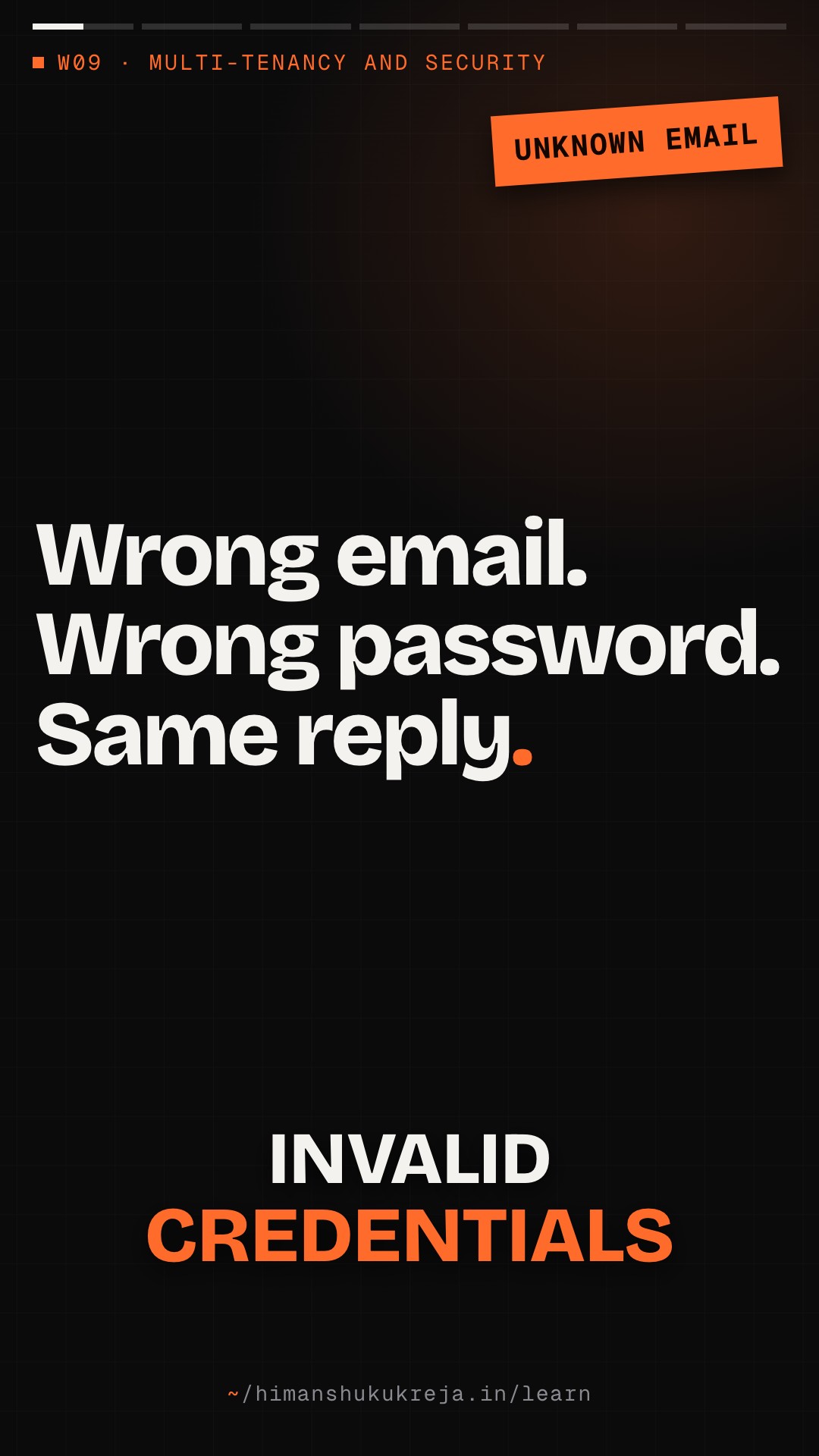
authenticate_passwordreturns the same "Invalid credentials" message whether the email does not exist or the password is wrong. Why?Answer & explanation
Answer: B
Different messages would let an attacker enumerate valid accounts and focus guessing on them. The audit log still records the real reason (
user_not_foundvsinvalid_password) for defenders; only the client-facing message is identical.
Part III: Real-World Application#
Chapter 7: Case Studies#
7.1 How Stripe Handles Security#
Challenge
- Process billions in payments
- PCI DSS Level 1 compliance
- Target for attackers
- Must be developer-friendly
Key security measures
1. ENCRYPTION EVERYWHERE
- TLS 1.2+ required for all API calls
- Card numbers encrypted at rest with AES-256
- Decryption keys stored on separate machines
- Card-handling infrastructure runs in a separate hosting environment that shares no credentials with Stripe's other services
2. TOKENIZATION
- Card numbers never hit merchant servers
- Stripe.js collects card details
- Token returned to merchant
- Token can only be used by that merchant
- Reduces merchant PCI scope
3. AUTHENTICATION
- API keys: Publishable (frontend) vs Secret (backend)
- Secret keys: Test vs Live modes
- Webhook signatures for verification
- OAuth for Connect platforms
4. MONITORING
- All API calls logged
- Radar for fraud detection
- Real-time anomaly detection
- Automatic blocking of suspicious activity
5. INFRASTRUCTURE
- Runs on cloud infrastructure (AWS)
- Network segmentation of the cardholder-data environment
- Regular penetration testing
Lessons
- Tokenization reduces scope of compliance
- Separate test and live credentials
- Make security invisible to developers
- Defense in depth at every layer
7.2 How Google Handles Zero Trust#
Background
- Google was targeted by Operation Aurora (2009)
- Realized perimeter security insufficient
- Built BeyondCorp (now widely emulated as "zero trust")
Key principles
1. NO PRIVILEGED NETWORK
- Internal network same trust as internet
- No VPN for accessing internal apps
- All access through Access Proxy
- Location doesn't determine access
2. DEVICE TRUST
- All devices must be managed
- Device inventory maintained
- Device health checked continuously
- Unmanaged devices: limited access
3. USER TRUST
- Strong authentication (MFA required)
- Context-aware access decisions
- Session tokens, not passwords
- Continuous verification
4. TRUST TIERS
- Each device/user gets a trust tier from inventory and health signals
- Each application requires a minimum tier
- Example: unmanaged device → low tier; managed, fully patched device → high tier
- Tier is re-evaluated continuously, never derived from network location
5. IMPLEMENTATION — see the diagram below.
%% title: BeyondCorp implementation
flowchart TD
  D@{ icon: "sd:laptop", label: "User Device" } --> AP@{ icon: "sd:gateway", label: "Access Proxy<br/>All access flows through here" }
  AP --> DT@{ icon: "sd:shield", label: "Device Trust" }
  AP --> ACE["Access Control Engine<br/>Makes access decision"]:::core
  ACE --> IA@{ icon: "sd:server", label: "Internal App" }
  class D client
  class AP edge
class DT,IA service- Network location is not a security boundary
- Every access decision needs context
- Device health is as important as user identity
- Continuous verification, not point-in-time
Chapter 8: Common Mistakes#
8.1 Security Anti-Patterns#
Mistake 1: Secrets in Code
Wrong:
# config.py
DATABASE_PASSWORD = "SuperSecret123"
API_KEY = "sk_live_abc123"

# .env committed to git
DATABASE_URL=postgres://admin:password@db:5432/app
Problem: Secrets in git history forever. Anyone with repo access has credentials. Can't rotate without code change.
Right:
# config.py
DATABASE_HOST = os.getenv("DB_HOST")
# Password fetched from vault at runtime

# Use secrets manager
password = await secrets_manager.get_secret("db_password")
Mistake 2: Trusting Frontend Validation
Wrong:
@app.post("/api/transfer")
async def transfer(amount: float, to_account: str):
    # Frontend validated this, we're good!
    await db.execute(
        "UPDATE accounts SET balance = balance - $1 WHERE id = $2",
        amount, current_user.account_id
    )
Problem: Attacker bypasses frontend. Negative amount = free money. No authorization check.
Right:
@app.post("/api/transfer")
async def transfer(request: TransferRequest):
    # Server-side validation
    if request.amount <= 0:
        raise ValidationError("Amount must be positive")

    if request.amount > MAX_TRANSFER:
        raise ValidationError("Amount exceeds limit")

    # Check authorization
    if not await can_transfer(current_user, request.to_account):
        raise PermissionError("Not authorized")

    # Check balance
    balance = await get_balance(current_user.account_id)
    if balance < request.amount:
        raise ValidationError("Insufficient funds")

    # Execute transfer
    await execute_transfer(...)
Mistake 3: Missing Tenant Isolation
Wrong:
@app.get("/api/documents/{doc_id}")
async def get_document(doc_id: str):
    # Fetch document by ID
    doc = await db.fetchrow(
        "SELECT * FROM documents WHERE id = $1",
        doc_id
    )
    return doc
Problem: Any user can access any document. Just guess document IDs. Complete data breach.
Right:
@app.get("/api/documents/{doc_id}")
async def get_document(doc_id: str, user: User = Depends(get_current_user)):
    # ALWAYS filter by tenant
    doc = await db.fetchrow(
        "SELECT * FROM documents WHERE id = $1 AND tenant_id = $2",
        doc_id, user.tenant_id
    )

    if not doc:
        raise NotFoundError("Document not found")

    return doc
Mistake 4: Logging Sensitive Data
Wrong:
logger.info(f"User login: {email}, password: {password}")
logger.info(f"Payment processed: {credit_card_number}")
logger.info(f"API request: {request.headers}")  # Contains auth token
Problem: Passwords in logs! PCI violation (card numbers). Tokens can be stolen from logs.
Right:
logger.info(f"User login attempt", extra={"email": email})
# Never log passwords

logger.info(f"Payment processed", extra={
    "last_four": card[-4:],
    "amount": amount
})

# Sanitize headers before logging
safe_headers = sanitize_headers(request.headers)
logger.info(f"API request", extra={"headers": safe_headers})
Mistake 5: Overly Permissive CORS
Wrong:
app.add_middleware(
    CORSMiddleware,
    allow_origins=["*"],  # Any origin!
    allow_credentials=True,
    allow_methods=["*"],
    allow_headers=["*"],
)
Problem: Any website can make API calls. Combined with credentials = disaster. CSRF attacks possible.
Right:
app.add_middleware(
    CORSMiddleware,
    allow_origins=[
        "https://app.example.com",
        "https://admin.example.com",
    ],
    allow_credentials=True,
    allow_methods=["GET", "POST", "PUT", "DELETE"],
    allow_headers=["Authorization", "Content-Type"],
)Case studies and common mistakes
Q1/3 Why does collecting card details with Stripe.js shrink a merchant's PCI compliance scope?
Answer & explanation
Answer: C
If raw card numbers never touch your systems, those systems fall mostly out of PCI scope; you keep a token only your account can use. Encrypting card numbers and storing them yourself would still leave you fully in scope.
Q2/3
GET /api/documents/{doc_id}looks documents up by id alone. Which fix actually closes the cross-tenant hole?Answer & explanation
Answer: D
The tenant must come from the authenticated identity and be part of every query, so a foreign id just returns "not found". Unguessable ids only hide the hole, and a client-supplied tenant_id can be set to anything.
Q3/3 The transfer form has
min=1on the amount. An attacker calls the "wrong"/api/transferendpoint directly withamount=-500. What happens?Answer & explanation
Answer: B
Frontend checks never run when someone calls the API directly, and the wrong version has no server-side validation or balance check, so subtracting a negative amount credits the account. The fix validates
amount > 0, limits and balance on the server.
Part IV: Interview Preparation#
Chapter 9: Interview Tips#
9.1 Security Discussion Framework#
- START WITH THREAT MODEL — "First, let me identify what we're protecting against:"
- External attackers (internet)
- Malicious users (authenticated but hostile)
- Internal threats (compromised employee)
- Data breaches (encryption focus)
- APPLY DEFENSE IN DEPTH — "I'd implement security at multiple layers:"
- Network: VPC, security groups, WAF
- Application: Auth, authz, validation
- Data: Encryption at rest and in transit
- Monitoring: Audit logs, alerting
- DISCUSS SPECIFIC CONTROLS — "For authentication, I'd use:"
- Password hashing with bcrypt (cost 12+)
- JWT tokens with short expiry
- MFA for sensitive operations
- Rate limiting on login
- ADDRESS SECRETS — "Secrets management is critical:"
- Never in code or environment variables
- Use Vault or AWS Secrets Manager
- Rotate credentials automatically
- Separate dev/prod credentials
- MENTION COMPLIANCE — "Depending on the domain:"
- PCI DSS for payments (tokenization)
- HIPAA for health (encryption, audit logs)
- SOC 2 for SaaS (access controls)
- These drive specific requirements"
9.2 Key Phrases#
On Defense in Depth
"I design with defense in depth - assuming any single layer might fail. Even if an attacker bypasses the firewall, they still face application authentication, encryption, and monitoring. No single point of failure."
On Zero Trust
"I follow zero trust principles - never trust, always verify. Network location doesn't grant access. Every request is authenticated and authorized, whether it comes from inside or outside the network."
On Secrets Management
"Secrets never go in code or environment variables. I use a secrets manager like Vault, with automatic rotation. Applications fetch secrets at runtime, so rotation doesn't require restarts."
On Authentication
"For authentication, I'd use JWT tokens with short expiry (15 minutes) and refresh tokens for longer sessions. Passwords are hashed with bcrypt, never stored plaintext. MFA is required for admin access."
On Encryption
"I implement encryption at multiple levels: TLS for transit, AES-256 for storage, and field-level encryption for sensitive data like SSNs. Keys are managed through KMS with automatic rotation."
Chapter 10: Practice Problems#
Practice · problem 1
Problem 1: Secure API Design#
Scenario: You're designing an API for a banking application that lets users view accounts and transfer money.
Questions:
- How do you authenticate users?
- How do you prevent unauthorized transfers?
- How do you protect against common attacks?
Click for hints
- OAuth 2.0 or JWT with MFA
- Transaction signing or step-up authentication
- Rate limiting, input validation, CSRF protection
- Audit logging for all transactions
- Amount limits and velocity checks
Practice · problem 2
Problem 2: Multi-Tenant Security#
Scenario: Your SaaS platform stores sensitive data for multiple customers. One customer is a competitor of another.
Questions:
- How do you ensure data isolation?
- What if an engineer needs to debug a customer issue?
- How do you handle encryption keys?
Click for hints
- Row-level security or schema separation
- Just-in-time access with audit trails
- Per-tenant encryption keys
- No cross-tenant queries possible
- Support access requires customer approval
Chapter 11: Sample Interview Dialogue#
"How would you secure a multi-tenant SaaS application?"
"I'd approach this with defense in depth, focusing on several key areas.
First, network security:"
%% title: Network path to the app
flowchart TD
  I@{ icon: "sd:globe", label: "Internet" } --> W@{ icon: "sd:firewall", label: "WAF" } --> A@{ icon: "tech:elb", label: "ALB" } --> SG@{ icon: "sd:shield", label: "Security Groups" } --> APP["App"]:::core
  class I client
class W,A,SG edge- WAF blocks common attacks (OWASP Top 10)
- ALB terminates TLS, requires 1.2+ (pick a TLS 1.2+ security policy such as
ELBSecurityPolicy-TLS13-1-2-2021-06; the CLI/CloudFormation defaultELBSecurityPolicy-2016-08still allows TLS 1.0/1.1) - Security groups: Only ALB can reach app servers
- App servers in private subnet, no public IP
"Second, tenant isolation. This is critical for multi-tenant:"
Every database query:
SELECT * FROM data WHERE tenant_id = :current_tenant_idEnforced at:
- Application layer (middleware adds tenant filter)
- Database layer (RLS policies)
- API layer (tenant from JWT, not request)
Cross-tenant queries are impossible by design.
"What about authentication and secrets?"
"For authentication, I'd implement:
- Password hashing: bcrypt with cost factor 12
- JWT tokens: 15-minute access, 7-day refresh
- MFA: Required for admin, optional for users
- Session management: Server-side session store in Redis
- Rate limiting: 5 failed attempts = 15-minute lockout
For secrets:"
WRONG
config.py:
DB_PASS = "secret".env:
API_KEY=sk_live_xxxRIGHT
Vault:
secrets/database/passwordapi/stripe_keyjwt/signing_key
Application fetches secrets at runtime:
password = await vault.get("database/password")Rotation: Vault rotates, app gets new secret on next fetch
"How do you handle a security incident?"
"I'd have several layers of detection and response:
Detection:
- Audit logs for all access (who, what, when)
- Anomaly detection (unusual access patterns)
- Failed authentication alerts
- Data access monitoring
Response:
- Automated blocking of suspicious IPs
- Session revocation capability
- Incident response runbook
- Communication templates for affected customers
For example, if we detect unusual data access:
- Alert fires → On-call gets paged
- Immediate: Revoke affected sessions
- Investigate: Query audit logs for scope
- Contain: Block attacker access
- Remediate: Patch vulnerability
- Communicate: Notify affected customers
- Postmortem: Prevent recurrence"
Summary#
Defense in depth
- Perimeter (WAF, DDoS, rate limiting)
- Network (VPC, security groups, private subnets)
- Application (auth, authz, validation)
- Data (encryption at rest and transit)
- Monitoring (audit logs, alerting)
Zero trust
- Never trust, always verify
- Network location doesn't grant access
- Every request authenticated/authorized
- Assume breach, limit blast radius
- Micro-segmentation
Secrets management
- Never in code or environment variables
- Use Vault/Secrets Manager
- Automatic rotation
- Separate dev/prod credentials
- Fetch at runtime, not startup
Encryption
- In transit: TLS 1.2+ everywhere
- At rest: AES-256 for storage
- Field-level: Sensitive data (SSN, etc.)
- Key hierarchy: Master → Tenant → Data
- HSM for key protection
Authentication
- bcrypt for passwords (cost 12+)
- JWT with short expiry
- MFA for sensitive operations
- Rate limiting on login
- Session management
Authorization
- RBAC for permissions
- Tenant isolation always
- Least privilege
- Resource-level policies
- Audit all access
Common mistakes
- Secrets in code
- Trusting frontend validation
- Missing tenant isolation
- Logging sensitive data
- Overly permissive CORS
Default security posture
- Deny by default
- Validate all input
- Encrypt everything
- Log everything
- Rotate credentials
- Assume compromise
Further Reading#
Standards and Frameworks:
- Read
OWASP Top 10: https://owasp.org/Top10/
- Read
NIST Cybersecurity Framework: https://www.nist.gov/cyberframework
- Read
CIS Controls: https://www.cisecurity.org/controls
Zero Trust:
- Read
Google BeyondCorp: https://cloud.google.com/beyondcorp
- Read
NIST Zero Trust Architecture: https://csrc.nist.gov/publications/detail/sp/800-207/final
Tools:
- Read
HashiCorp Vault: https://www.vaultproject.io/
- Read
AWS Secrets Manager: https://aws.amazon.com/secrets-manager/
This Week Complete! Next week: Production Readiness and Operational Excellence — SLOs, Observability, Deployment, and Incident Management.
this lesson in shorts · 3
play them all →One idea from this lesson in about a minute each, made for your phone.

Go deeper · reading trail
all reading →Real write-ups from the teams that built these systems. Each opens on the publisher's site in a new tab.
BeyondCorp: A New Approach to Enterprise Security
Rory Ward, Betsy Beyer · 2014- What
- Google's paper on removing the privileged corporate network.
- Key idea
- Access is decided per request from device state and user identity, not from being inside the firewall, so the network perimeter stops being a trust boundary.
- Why here
- Zero-trust thinking for this lesson's trust boundary chapter: authenticate and authorise every hop.
Envelope encryption
- What
- Google Cloud KMS's explanation of envelope encryption.
- Key idea
- Data is encrypted with a data encryption key (DEK), and the DEK is encrypted with a key encryption key (KEK) held in KMS; use a fresh DEK per write and never share one across users.
- Why here
- The key hierarchy of this lesson's encryption strategy, and why per-tenant keys make crypto-shredding possible.
New lessons by email
New lessons, side quests and case files as they ship, at most once a week. No spam, unsubscribe anytime.
Discussion · …
Public: everyone reading this lesson sees comments. Be kind and keep it on the material.