Preface#
Yesterday, we built beautiful star schemas with pre-aggregated rollups. Our dashboards are fast. The CFO is happy.
Then Monday morning happens:
| Sunday 11:59 PM: Dashboard shows weekend flash sale revenue | Monday 9:00 AM: CFO checks final numbers | |
|---|---|---|
| Saturday | $1,250,000 | $1,312,000 (+$62,000!) |
| Sunday | $1,180,000 | $1,245,000 (+$65,000!) |
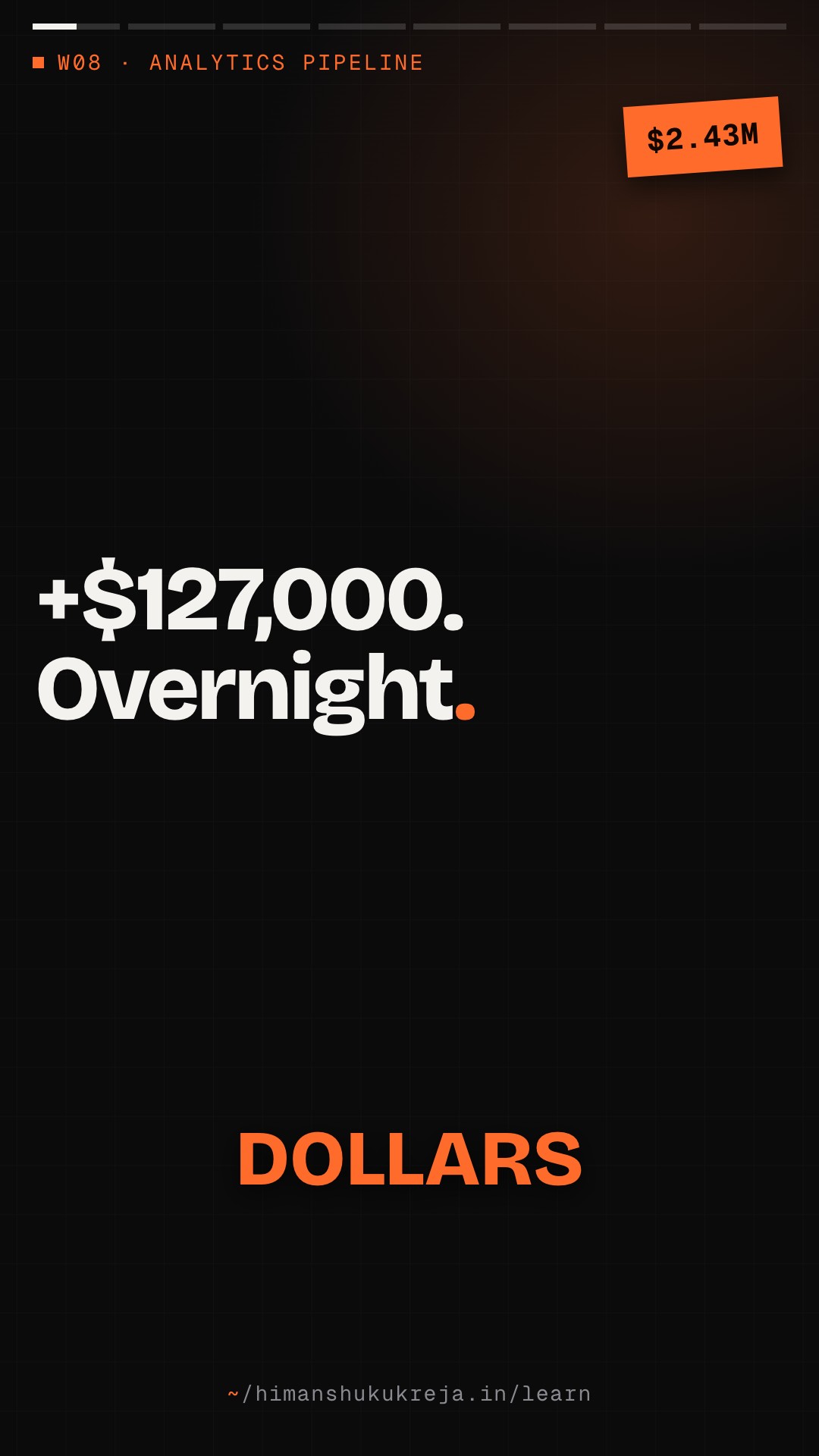
| Total | $2,430,000 | $2,557,000 (+$127,000!) |
CFO asks: "Why did the numbers change? Which one is right?"
What happened
- Mobile app events arrived late (offline purchases)
- Payment confirmations delayed from processor
- Timezone issues caused date bucket shifts
- Batch job picked up events from different windows
- Manual order entries posted Monday
The dashboard wasn't wrong — it was incomplete. Late data is the enemy of "real-time" analytics.
Today, we'll learn to handle late-arriving data without losing our minds — or the CFO's trust.
A weekend flash sale showed $2,430,000 on Sunday night and $2,557,000 on Monday morning: the dashboard was incomplete, because offline mobile purchases, delayed payment confirmations and manual entries arrived late, and windowing by processing time puts a 14:30 subway purchase that arrives at 15:45 in the wrong hour. The fix is event time with watermarks (max event time seen minus a 5-minute bound): a window fires when the watermark passes its end, late events within allowed lateness update it, and later ones go to a side output, never dropped silently, with tolerance set from measured lateness and per source. Corrections patch additive metrics or reprocess non-additive ones, store versions instead of overwrites ($50,000, $52,500, then $53,200 final), finalize at T+1 and T+7, and label every number live or final.
Part I: Foundations#
Chapter 1: The Time Problem#
How much of the weekend arrived late?
At Sunday 11:59 PM the dashboard showed $1,250,000 for Saturday and $2,430,000 for the weekend. On Monday at 9 AM the numbers were $1,312,000 and $2,557,000. What share of the final revenue arrived late? Was the dashboard wrong?
One strong answer
- Saturday: $62,000 ÷ $1,312,000 ≈ 4.7% of the final number arrived after the dashboard was read.
- Weekend: $127,000 ÷ $2,557,000 ≈ 5.0%, about one dollar in twenty.
- Not wrong, incomplete: offline mobile purchases, delayed payment confirmations and manual entries happened on Saturday but reached the system later.
- So group by event time, measure the gap to processing time, and label numbers that can still change.
1.1 Two Types of Time#
| Meaning | Example | Why it matters | |
|---|---|---|---|
| EVENT TIME | When something actually happened | User clicked "Buy" at 2024-01-15 14:30:00 UTC | This is the business-relevant timestamp. |
| PROCESSING TIME | When we received/processed the event | Server received the event at 2024-01-15 14:30:05 UTC | This is when our system saw it. |
The gap
| Source | Typical delay |
|---|---|
| Network latency | milliseconds to seconds |
| Client buffering | seconds to minutes |
| Offline mobile | minutes to days |
| Batch uploads | hours to days |
| Partner data feeds | hours to days |
| Manual corrections | any time |
Example timeline
- Event time 14:30:00 — User purchases (offline, in subway)
- Processing time 15:45:00 — User exits subway, app syncs, event arrives 75 MINUTES LATE!
Which "hour" does this purchase belong to?
- Event time: 14:00-15:00 window ← Correct for analytics
- Processing time: 15:00-16:00 window ← Wrong!
1.2 Why Late Data Happens#
| Source | Causes | Typical lateness |
|---|---|---|
| 1. Mobile apps (Most Common) | Offline usage (subway, airplane, rural) · Battery optimization (batched sends) · App backgrounded (delayed sync) | Minutes to hours |
| 2. IoT devices | Intermittent connectivity · Local buffering · Batch uploads | Minutes to days |
| 3. Partner/vendor data | Daily batch files · API rate limits causing delays · Different time zones | Hours to days |
| 4. Payment processors | Async confirmation · Fraud review delays · Settlement timing | Minutes to days |
| 5. Manual entries | Customer service adjustments · Refunds and chargebacks · Data corrections | Days to weeks |
| 6. System issues | Kafka consumer lag · Processing failures and retries · Backfill operations | Variable |
1.3 The Impact on Analytics#
Scenario: Hourly revenue dashboard, without late data handling
| Hour | Real-time | Final (next day) | Difference |
|---|---|---|---|
| 14:00 | $50,000 | $53,200 | +6.4% |
| 15:00 | $48,000 | $51,200 | +6.7% |
| 16:00 | $55,000 | $57,800 | +5.1% |
Problems
- Misleading real-time decisions
- Reports don't match
- Trust erodes ("the numbers are always wrong")
- Alert thresholds trigger incorrectly
- YoY comparisons are invalid
The business impact
- Flash sale looks less successful than it was
- Staffing decisions based on wrong traffic patterns
- Marketing ROI appears lower (late conversions)
- SLAs with partners based on incomplete data
Chapter 2: Watermarks Deep Dive#
2.1 What Are Watermarks?#
A watermark is a declaration: "I believe all events with event_time <= W have arrived"
Watermark(T) means:
- Events with timestamp <= T are (probably) complete
- Windows ending at T can (probably) be closed
- Late events (timestamp < T) need special handling
How watermarks progress
| Events arriving (by processing time) | 10:01 | 10:02 | 10:03 | 10:04 | 10:05 |
|---|---|---|---|---|---|
| Event timestamps | 9:58 | 9:55 | 10:01 | 9:59 | 10:03 |
| Max timestamp seen | 9:58 | 9:58 | 10:01 | 10:01 | 10:03 |
| Watermark (max - 5 min out-of-orderness bound) | 9:53 | 9:53 | 9:56 | 9:56 | 9:58 |
The watermark advances as we see newer event times, but stays behind by the out-of-orderness bound. (Allowed lateness is a separate knob: how long a window keeps accepting updates after the watermark passes its end.)
2.2 Watermark Strategies#
# late_data/watermark_strategies.py

"""
Watermark generation strategies.

Different strategies for different use cases.
"""

from dataclasses import dataclass
from datetime import datetime, timedelta, timezone
from typing import Optional, Dict
from abc import ABC, abstractmethod


class WatermarkStrategy(ABC):
    """Base class for watermark strategies."""

    @abstractmethod
    def on_event(self, event_time: datetime) -> datetime:
        """Update watermark based on new event."""
        pass

    @abstractmethod
    def get_watermark(self) -> datetime:
        """Get current watermark."""
        pass


class BoundedOutOfOrdernessWatermark(WatermarkStrategy):
    """
    Most common strategy: Allow fixed lateness.

    Watermark = max_event_time - max_lateness

    Use when: Lateness is bounded and predictable
    Example: Mobile app with max 1 hour offline
    """

    def __init__(self, max_lateness: timedelta):
        self.max_lateness = max_lateness
        self.max_event_time: Optional[datetime] = None

    def on_event(self, event_time: datetime) -> datetime:
        if self.max_event_time is None:
            self.max_event_time = event_time
        else:
            self.max_event_time = max(self.max_event_time, event_time)

        return self.get_watermark()

    def get_watermark(self) -> datetime:
        if self.max_event_time is None:
            return datetime.min.replace(tzinfo=timezone.utc)
        return self.max_event_time - self.max_lateness


class PerKeyWatermark(WatermarkStrategy):
    """
    Track watermark per key (e.g., per user, per device).

    Global watermark = min(all key watermarks)

    Use when: Different sources have different lateness
    Example: Some users always online, some often offline
    """

    def __init__(self, max_lateness: timedelta, idle_timeout: timedelta):
        self.max_lateness = max_lateness
        self.idle_timeout = idle_timeout
        self.key_watermarks: Dict[str, datetime] = {}
        self.key_last_seen: Dict[str, datetime] = {}

    def on_event_for_key(
        self,
        key: str,
        event_time: datetime,
        processing_time: datetime
    ) -> datetime:
        # Update key's max event time
        if key not in self.key_watermarks:
            self.key_watermarks[key] = event_time
        else:
            self.key_watermarks[key] = max(
                self.key_watermarks[key],
                event_time
            )

        self.key_last_seen[key] = processing_time

        return self.get_watermark()

    def get_watermark(self) -> datetime:
        now = datetime.now(timezone.utc)

        # Filter out idle keys (haven't seen events recently)
        active_watermarks = []
        for key, wm in self.key_watermarks.items():
            last_seen = self.key_last_seen.get(key, now)
            if now - last_seen < self.idle_timeout:
                active_watermarks.append(wm - self.max_lateness)

        if not active_watermarks:
            return datetime.min.replace(tzinfo=timezone.utc)

        # Global watermark is minimum of active key watermarks
        return min(active_watermarks)


class PunctuatedWatermark(WatermarkStrategy):
    """
    Watermarks embedded in the data stream.

    Use when: Source can guarantee ordering
    Example: Database CDC with transaction IDs
    """

    def __init__(self):
        self.current_watermark = datetime.min.replace(tzinfo=timezone.utc)

    def on_event(self, event_time: datetime) -> datetime:
        # Regular events don't advance watermark
        return self.current_watermark

    def on_watermark_event(self, watermark_time: datetime) -> datetime:
        # Special watermark events advance the watermark
        self.current_watermark = max(
            self.current_watermark,
            watermark_time
        )
        return self.current_watermark

    def get_watermark(self) -> datetime:
        return self.current_watermark


class ProcessingTimeWatermark(WatermarkStrategy):
    """
    Use processing time as watermark (ignore event time).

    Use when: Event time doesn't matter or isn't reliable
    Example: Log processing where arrival order is fine
    """

    def __init__(self, delay: timedelta = timedelta(seconds=0)):
        self.delay = delay

    def on_event(self, event_time: datetime) -> datetime:
        return self.get_watermark()

    def get_watermark(self) -> datetime:
return datetime.now(timezone.utc) - self.delayPick a tolerance for three jobs
Your measured lateness is p50 2 seconds, p90 30 seconds, p99 5 minutes, p99.9 30 minutes, max 72 hours. Choose a tolerance for real-time fraud detection, daily revenue reporting and the monthly financial close, and say what each choice costs.
One strong answer
- Fraud detection: ~30 seconds. You capture ~90% of events, but speed matters more than completeness; late events are processed without undoing decisions.
- Daily revenue: ~1 hour, capturing ~99.95%. A little delay is fine, and later events trigger a recompute.
- Monthly close: days (7, say). Accuracy is the point, so you wait for the stragglers.
- The cost: a longer tolerance means a later first result if it sits in the watermark bound, or more state held in memory if it sits in allowed lateness.
2.3 Choosing Lateness Tolerance#
Step 1: Analyze your data
Query historical events:
SELECT
    PERCENTILE_CONT(0.50) WITHIN GROUP (ORDER BY lateness) as p50,
    PERCENTILE_CONT(0.90) WITHIN GROUP (ORDER BY lateness) as p90,
    PERCENTILE_CONT(0.99) WITHIN GROUP (ORDER BY lateness) as p99,
    MAX(lateness) as max_lateness
FROM (
    SELECT
        EXTRACT(EPOCH FROM (received_time - event_time)) as lateness
    FROM events
    WHERE received_time > event_time  -- Exclude clock issues
);
Example results:
- p50: 2 seconds
- p90: 30 seconds
- p99: 5 minutes
- p999: 30 minutes
- max: 72 hours (outliers)
Step 2: Decide on trade-offs
| Lateness tolerance | Events Captured | Window Delay | Memory |
|---|---|---|---|
| 30 seconds | ~90% | Low | Low |
| 5 minutes | ~99% | Medium | Medium |
| 30 minutes | ~99.9% | High | High |
| 1 hour | ~99.95% | Very High | Very High |
Tolerance is the out-of-orderness bound plus allowed lateness (§2.1). Putting it in the bound delays the first result (the Window Delay column). Putting it in allowed lateness fires on time and then sends updates, so it costs state (memory), not delay.
Step 3: Match to business requirements
| Use case | Lateness tolerance | Rationale | Late events |
|---|---|---|---|
| Real-time fraud detection | 30 seconds | Speed matters more than completeness | Process but don't undo decisions |
| Daily revenue reporting | 1 hour | Accuracy matters, some delay okay | Trigger recomputation |
| Monthly financial close | 7 days | Must be accurate | Wait for them |
| Value | |
|---|---|
| Orders per hour (assumed flat all day, from the 14:00 window's final version) | 532 → ~12,800 a day |
| Average order (same window: $53,200 ÷ 532) | $100 → ~$1.28 million a day |
| Share captured at each tolerance (the lateness table, assumed to hold for orders) | 30 s ~90% · 5 min ~99% · 30 min ~99.9% |
| Left for later at 30 seconds | |
| Left for later at 5 minutes | |
| Left for later at 30 minutes |
Conclusion: every tolerance leaves some orders behind every day, so the side output and the finalization job are part of the design, not an edge case. The tolerance decides how much money waits for the batch, and how long the live number stays short.
Event time and watermarks
Q1/3 A user buys at 14:30 on the subway, and the event reaches your server at 15:45. Your hourly revenue job windows by processing time. What happens?
Answer & explanation
Answer: B
Processing time records when you saw the event, so the purchase is credited to 15:00-16:00. Event time (14:30) is the business-relevant timestamp. Windowing by event time puts the purchase in the 14:00 hour, where it happened.
Q2/3 Bounded out-of-orderness with a 5-minute bound. The max event time seen so far is 10:03. Then an event stamped 9:59 arrives. What is the watermark now?
Answer & explanation
Answer: D
Watermark = max_event_time - max_lateness (the out-of-orderness bound, not allowed lateness). An older event cannot lower the max, so the watermark stays at 10:03 - 5 min = 9:58. The 9:59 event is above the watermark, so it is still on time.
Q3/3 You use per-key watermarks, where the global watermark is the minimum over keys. One phone goes offline for two days. Why does the strategy need an idle timeout?
Answer & explanation
Answer: A
The global watermark is the minimum of the key watermarks, so one silent key pins it in the past. Keys not seen within idle_timeout are left out of the minimum, and the watermark keeps advancing.
Chapter 3: Windowing and Late Data#
3.1 Window Types and Late Events#
Tumbling windows (Non-overlapping)
Windows: [00:00-01:00), [01:00-02:00), [02:00-03:00)
Event arrives at processing time 02:30 with event time 00:45:
- Window
[00:00-01:00)already fired (watermark passed 01:00) - Event is LATE
- Options: Drop, side output, or trigger update
Sliding windows (Overlapping)
Windows: [00:00-01:00), [00:15-01:15), [00:30-01:30)...
Late event may be late for MULTIPLE windows!
- Event time 00:45, arrives after 01:30
- Late for:
[00:00-01:00),[00:15-01:15),[00:30-01:30) - Potentially many windows need updates
Session windows (Activity-based)
Sessions close after inactivity gap.
Late event may:
- Extend a closed session
- Merge two sessions that were separate
- Create a new session in the past
- Complexity: Very high for late data handling
3.2 Late Data Handling Strategies#
# late_data/handling_strategies.py

"""
Strategies for handling late-arriving data.
"""

from dataclasses import dataclass, field
from datetime import datetime, timedelta, timezone
from typing import Dict, Any, List, Optional, Callable
from enum import Enum
import logging

logger = logging.getLogger(__name__)


class LateDataAction(Enum):
    """What to do with late data."""
    DROP = "drop"                    # Ignore late events
    SIDE_OUTPUT = "side_output"      # Route to separate stream
    UPDATE_RESULT = "update_result"  # Update the window result
    RECOMPUTE = "recompute"          # Trigger full recomputation


@dataclass
class LateDataConfig:
    """Configuration for late data handling."""
    allowed_lateness: timedelta
    action: LateDataAction
    side_output_topic: Optional[str] = None
    max_updates_per_window: int = 10


@dataclass
class WindowResult:
    """Result from a window computation."""
    window_start: datetime
    window_end: datetime
    result: Dict[str, Any]
    is_final: bool
    update_count: int = 0
    last_updated: datetime = field(default_factory=lambda: datetime.now(timezone.utc))


class LateDataHandler:
    """
    Handles late-arriving events in windowed computations.
    """

    def __init__(self, config: LateDataConfig):
        self.config = config
        self.window_results: Dict[str, WindowResult] = {}
        self.late_events: List[Dict] = []

        # Metrics
        self.on_time_count = 0
        self.late_accepted_count = 0
        self.late_dropped_count = 0

    def process_event(
        self,
        event: Dict,
        watermark: datetime,
        aggregate_fn: Callable
    ) -> Optional[Dict]:
        """
        Process an event, handling lateness appropriately.
        """

        event_time = datetime.fromisoformat(event["event_time"])
        window_key = self._get_window_key(event_time)
        window_start, window_end = self._parse_window_key(window_key)

        # Late = its window has already fired (watermark passed window end).
        # The watermark already subtracts the out-of-orderness bound, so
        # don't compare event_time to it directly.
        is_late = window_end <= watermark

        if not is_late:
            # On-time event: normal processing
            self.on_time_count += 1
            return self._update_window(window_key, event, aggregate_fn, is_late=False)

        # Event is late: how far the watermark is past the window end
        lateness = watermark - window_end

        # Check if within allowed lateness
        if lateness <= self.config.allowed_lateness:
            return self._handle_late_within_tolerance(
                window_key, event, aggregate_fn, lateness
            )
        else:
            return self._handle_late_beyond_tolerance(event, lateness)

    def _handle_late_within_tolerance(
        self,
        window_key: str,
        event: Dict,
        aggregate_fn: Callable,
        lateness: timedelta
    ) -> Optional[Dict]:
        """Handle event that's late but within tolerance."""

        self.late_accepted_count += 1

        if self.config.action == LateDataAction.DROP:
            logger.debug(f"Dropping late event (within tolerance): {lateness}")
            return None

        elif self.config.action == LateDataAction.SIDE_OUTPUT:
            self.late_events.append({
                "event": event,
                "lateness_seconds": lateness.total_seconds(),
                "action": "side_output"
            })
            return None

        elif self.config.action == LateDataAction.UPDATE_RESULT:
            # Check update limit
            existing = self.window_results.get(window_key)
            if existing and existing.update_count >= self.config.max_updates_per_window:
                logger.warning(
                    f"Window {window_key} exceeded max updates, dropping event"
                )
                return None

            return self._update_window(window_key, event, aggregate_fn, is_late=True)

        return None

    def _handle_late_beyond_tolerance(
        self,
        event: Dict,
        lateness: timedelta
    ) -> Optional[Dict]:
        """Handle event that's later than allowed tolerance."""

        self.late_dropped_count += 1

        logger.info(
            f"Dropping very late event: {lateness} exceeds "
            f"{self.config.allowed_lateness}"
        )

        # Always side-output very late events for analysis
        self.late_events.append({
            "event": event,
            "lateness_seconds": lateness.total_seconds(),
            "action": "dropped_beyond_tolerance"
        })

        return None

    def _update_window(
        self,
        window_key: str,
        event: Dict,
        aggregate_fn: Callable,
        is_late: bool
    ) -> Dict:
        """Update or create window result."""

        window_start, window_end = self._parse_window_key(window_key)

        existing = self.window_results.get(window_key)

        if existing:
            # Update existing window
            new_result = aggregate_fn(existing.result, event)
            existing.result = new_result
            existing.update_count += 1
            existing.last_updated = datetime.now(timezone.utc)
            existing.is_final = False  # No longer final since it was updated

            return {
                "window_key": window_key,
                "result": new_result,
                "is_update": True,
                "is_late_update": is_late,
                "update_count": existing.update_count
            }
        else:
            # New window
            result = aggregate_fn(None, event)
            self.window_results[window_key] = WindowResult(
                window_start=window_start,
                window_end=window_end,
                result=result,
                is_final=False,
                update_count=0
            )

            return {
                "window_key": window_key,
                "result": result,
                "is_update": False,
                "is_late_update": is_late,
                "update_count": 0
            }

    def finalize_window(self, window_key: str) -> Optional[WindowResult]:
        """Mark a window as final (watermark passed window end)."""

        if window_key in self.window_results:
            result = self.window_results[window_key]
            result.is_final = True
            return result
        return None

    def _get_window_key(self, event_time: datetime) -> str:
        """Window key for an event time (1-hour tumbling), e.g. 2024-01-15-14."""
        return event_time.strftime("%Y-%m-%d-%H")

    def _parse_window_key(self, key: str) -> tuple:
        """Parse window key back to start/end times."""
        start = datetime.strptime(key, "%Y-%m-%d-%H").replace(tzinfo=timezone.utc)
        return start, start + timedelta(hours=1)

    def get_metrics(self) -> Dict:
        """Get late data handling metrics."""
        total = self.on_time_count + self.late_accepted_count + self.late_dropped_count

        return {
            "on_time_count": self.on_time_count,
            "late_accepted_count": self.late_accepted_count,
            "late_dropped_count": self.late_dropped_count,
            "on_time_rate": self.on_time_count / total if total > 0 else 0,
            "late_rate": (self.late_accepted_count + self.late_dropped_count) / total if total > 0 else 0
}Keep window state forever, or drop it at once?
One design keeps every window's state forever, so any late event can still update it. Another frees a window's state the moment the window fires. What breaks in each, and where does the lesson draw the line?
One strong answer
- Forever: state grows without bound until the job runs out of memory.
- Freed on firing: no late update is possible any more, so every late event goes to the side output.
- The middle: keep state until
window_end + allowed_lateness, and check that timer against the watermark (event-time progress), not the wall clock. Then free it.
3.3 Allowed Lateness with State Cleanup#
# late_data/state_cleanup.py

"""
Managing state with allowed lateness.

Problem: If we keep window state forever to handle late data,
         memory grows unbounded.

Solution: Use allowed lateness + cleanup timers.
"""

from datetime import datetime, timedelta, timezone
from typing import Dict, Any, Optional
import logging

logger = logging.getLogger(__name__)


class WindowStateManager:
    """
    Manages window state with cleanup for late data handling.

    State lifecycle:
    1. Window created when first event arrives
    2. Window fires when watermark passes window end
    3. State kept for allowed_lateness period (for updates)
    4. State cleaned up after allowed_lateness expires
    """

    def __init__(
        self,
        allowed_lateness: timedelta,
        cleanup_interval: timedelta = timedelta(minutes=5)
    ):
        self.allowed_lateness = allowed_lateness
        self.cleanup_interval = cleanup_interval

        self.windows: Dict[str, Dict] = {}
        self.cleanup_timers: Dict[str, datetime] = {}
        self.last_cleanup = datetime.now(timezone.utc)

    def get_or_create_window(
        self,
        window_key: str,
        window_end: datetime
    ) -> Dict:
        """Get existing window state or create new."""

        if window_key not in self.windows:
            self.windows[window_key] = {
                "count": 0,
                "sum": 0,
                "created_at": datetime.now(timezone.utc),
                "window_end": window_end,
                "fired": False,
                "update_count": 0
            }

            # Set cleanup timer
            cleanup_time = window_end + self.allowed_lateness
            self.cleanup_timers[window_key] = cleanup_time

        return self.windows[window_key]

    def update_window(self, window_key: str, value: float):
        """Add value to window aggregate."""

        if window_key in self.windows:
            self.windows[window_key]["count"] += 1
            self.windows[window_key]["sum"] += value

            if self.windows[window_key]["fired"]:
                self.windows[window_key]["update_count"] += 1

    def fire_window(self, window_key: str) -> Optional[Dict]:
        """Fire window and return result."""

        if window_key not in self.windows:
            return None

        window = self.windows[window_key]
        window["fired"] = True

        return {
            "window_key": window_key,
            "count": window["count"],
            "sum": window["sum"],
            "avg": window["sum"] / window["count"] if window["count"] > 0 else 0,
            "is_final": False  # May still receive late updates
        }

    def maybe_cleanup(self, current_watermark: datetime):
        """
        Clean up expired window states.

        Called periodically to free memory.
        """

        now = datetime.now(timezone.utc)
        if now - self.last_cleanup < self.cleanup_interval:
            return

        self.last_cleanup = now

        windows_to_remove = []

        for window_key, cleanup_time in self.cleanup_timers.items():
            if current_watermark > cleanup_time:
                windows_to_remove.append(window_key)

        for window_key in windows_to_remove:
            # Emit final result before cleanup
            if window_key in self.windows:
                window = self.windows[window_key]
                logger.debug(
                    f"Cleaning up window {window_key}, "
                    f"received {window['update_count']} late updates"
                )

                del self.windows[window_key]

            del self.cleanup_timers[window_key]

        if windows_to_remove:
            logger.info(f"Cleaned up {len(windows_to_remove)} expired windows")

    def get_state_size(self) -> Dict:
        """Get current state size metrics."""
        return {
            "window_count": len(self.windows),
            "timer_count": len(self.cleanup_timers),
            "total_events": sum(w["count"] for w in self.windows.values())
}The watermark is the max event time seen minus a 5-minute out-of-orderness bound, so an older event cannot move it back. A 1-hour window [14:00, 15:00) fires when the watermark passes 15:00, takes a late 14:30 event as an update within 30 minutes of allowed lateness, frees its state after 15:30 and sends later events to a side output.
Windowing and late data
Q1/3 Which window type makes late-event handling hardest, and why?
Answer & explanation
Answer: C
Sliding windows only increase the number of fixed windows to update. With sessions the boundaries themselves change: a late event can extend, merge or create sessions in the past. That is why the lesson rates session windows as very high complexity.
Q2/3 A 1-hour tumbling window [14:00, 15:00) has 30 minutes of allowed lateness. When does WindowStateManager clean up its state?
Answer & explanation
Answer: A
The cleanup timer is window_end + allowed_lateness, and it is checked against the watermark (event-time progress), not the wall clock. Keeping state forever grows memory without bound. Freeing it as soon as the window fires would make every late update impossible.
Q3/3 In LateDataHandler, an event arrives later than allowed_lateness. What happens to it?
Answer & explanation
Answer: B
Events beyond tolerance count as dropped from the windowed result, but they are always side-output with their lateness, so nothing disappears silently. Recomputation is a separate action, not what happens by default to very late events.
Chapter 4: Reprocessing and Corrections#
Patch it or recompute it?
Late events arrive for yesterday's hourly windows. The windows hold revenue (a SUM), orders (a COUNT) and unique buyers (a COUNT DISTINCT). Which can you patch in place, and which need a recompute from raw events?
One strong answer
- Patch revenue and orders: they are additive, so the late events' sum and count can simply be added to the stored values.
- Recompute unique buyers: a late buyer may already be counted, and the stored number can't tell you. AVG and MEDIAN have the same problem.
- Also recompute when the late volume is large, when the logic or schema changed, or when data is corrupted.
4.1 When to Reprocess#
PATCHING (Incremental update)
Apply late events to existing results.
Use when:
- Late data is small volume (<5% of original)
- Aggregations are additive (SUM, COUNT)
- Need quick correction
- Can handle non-final results
Example:
- Original: revenue = $100,000
- Late event: +$500
- Patched: revenue = $100,500
REPROCESSING (Full recompute)
Recalculate everything from raw events.
Use when:
- Late data is significant volume
- Aggregations are non-additive (AVG, MEDIAN, DISTINCT)
- Need guaranteed accuracy
- Schema or logic changed
- Data corruption detected
Example:
- Re-read all events for the day
- Recalculate all aggregations
- Replace existing results
4.2 Implementing Reprocessing#
# late_data/reprocessing.py

"""
Reprocessing pipeline for late data and corrections.

Strategies:
1. Micro-batch reprocessing (hourly windows)
2. Daily batch reprocessing
3. On-demand backfill
"""

from dataclasses import dataclass
from datetime import datetime, date, timedelta, timezone
from typing import Dict, Any, List, Optional
import logging

logger = logging.getLogger(__name__)


@dataclass
class ReprocessingJob:
    """Defines a reprocessing job."""
    job_id: str
    start_time: datetime
    end_time: datetime
    reason: str
    status: str = "pending"
    created_at: datetime = None
    completed_at: datetime = None

    def __post_init__(self):
        if self.created_at is None:
            self.created_at = datetime.now(timezone.utc)


class ReprocessingManager:
    """
    Manages reprocessing of historical data.
    """

    def __init__(
        self,
        raw_data_source,
        aggregation_pipeline,
        output_sink
    ):
        self.source = raw_data_source
        self.pipeline = aggregation_pipeline
        self.sink = output_sink
        self.jobs: Dict[str, ReprocessingJob] = {}

    async def trigger_reprocessing(
        self,
        start_time: datetime,
        end_time: datetime,
        reason: str
    ) -> ReprocessingJob:
        """
        Trigger reprocessing for a time range.
        """

        job_id = f"reprocess_{start_time.strftime('%Y%m%d%H')}_{end_time.strftime('%Y%m%d%H')}"

        job = ReprocessingJob(
            job_id=job_id,
            start_time=start_time,
            end_time=end_time,
            reason=reason
        )

        self.jobs[job_id] = job

        logger.info(
            f"Triggered reprocessing job {job_id}: "
            f"{start_time} to {end_time}, reason: {reason}"
        )

        # Execute reprocessing
        await self._execute_reprocessing(job)

        return job

    async def _execute_reprocessing(self, job: ReprocessingJob):
        """Execute the reprocessing job."""

        try:
            job.status = "running"

            # Step 1: Read raw events for time range
            events = await self.source.read_events(
                start_time=job.start_time,
                end_time=job.end_time
            )

            logger.info(f"Read {len(events)} events for reprocessing")

            # Step 2: Run aggregation pipeline
            results = await self.pipeline.process_batch(events)

            # Step 3: Write results (replace existing)
            await self.sink.write_results(
                results,
                mode="overwrite",  # Replace, not append
                time_range=(job.start_time, job.end_time)
            )

            job.status = "completed"
            job.completed_at = datetime.now(timezone.utc)

            logger.info(
                f"Reprocessing job {job.job_id} completed, "
                f"processed {len(events)} events"
            )

        except Exception as e:
            job.status = "failed"
            logger.error(f"Reprocessing job {job.job_id} failed: {e}")
            raise

    async def schedule_daily_reprocessing(self, target_date: date):
        """
        Schedule end-of-day reprocessing to finalize numbers.

        Runs after allowed_lateness period to capture late data.
        """

        start = datetime.combine(target_date, datetime.min.time(), tzinfo=timezone.utc)
        end = datetime.combine(target_date + timedelta(days=1), datetime.min.time(), tzinfo=timezone.utc)

        return await self.trigger_reprocessing(
            start_time=start,
            end_time=end,
            reason="scheduled_daily_finalization"
        )


class IncrementalPatcher:
    """
    Applies incremental patches for late data.

    More efficient than full reprocessing for small corrections.
    """

    def __init__(self, result_store):
        self.store = result_store

    async def apply_late_events(
        self,
        late_events: List[Dict],
        aggregations: Dict[str, str]  # column -> aggregation type
    ) -> Dict[str, int]:
        """
        Apply late events as incremental patches.

        Only works for additive aggregations!
        """

        patches_by_window = {}

        for event in late_events:
            window_key = self._get_window_key(event)

            if window_key not in patches_by_window:
                patches_by_window[window_key] = {
                    "count": 0,
                    "updates": {}
                }

            patches_by_window[window_key]["count"] += 1

            for col, agg_type in aggregations.items():
                value = event.get(col, 0)

                if agg_type == "SUM":
                    patches_by_window[window_key]["updates"][col] = \
                        patches_by_window[window_key]["updates"].get(col, 0) + value

                elif agg_type == "COUNT":
                    patches_by_window[window_key]["updates"][col] = \
                        patches_by_window[window_key]["updates"].get(col, 0) + 1

                # Note: AVG, MEDIAN, DISTINCT require reprocessing!

        # Apply patches to store
        patched_count = 0
        for window_key, patch in patches_by_window.items():
            await self.store.apply_patch(window_key, patch["updates"])
            patched_count += patch["count"]

        return {
            "windows_patched": len(patches_by_window),
            "events_applied": patched_count
        }

    def _get_window_key(self, event: Dict) -> str:
        """Get window key from event."""
        event_time = datetime.fromisoformat(event["event_time"])
return event_time.strftime("%Y-%m-%d-%H")4.3 Versioned Results#
# late_data/versioning.py

"""
Versioned analytics results.

Instead of updating results in place, maintain versions:
- Each version has a timestamp
- Queries can request specific version or latest
- Audit trail of how numbers changed
"""

from dataclasses import dataclass
from datetime import datetime, timezone
from typing import Dict, Any, List, Optional
import json


@dataclass
class ResultVersion:
    """A version of an analytics result."""
    version_id: int
    window_key: str
    result: Dict[str, Any]
    computed_at: datetime
    event_count: int
    is_final: bool
    reason: str  # "initial", "late_data", "correction", "reprocessing"


class VersionedResultStore:
    """
    Stores versioned analytics results.

    Benefits:
    1. Audit trail: See how numbers changed over time
    2. Debugging: Compare versions to find issues
    3. Consistency: Queries can pin to a version
    4. Rollback: Revert to previous version if needed
    """

    def __init__(self, storage_backend):
        self.storage = storage_backend

    async def store_result(
        self,
        window_key: str,
        result: Dict[str, Any],
        event_count: int,
        is_final: bool,
        reason: str
    ) -> ResultVersion:
        """
        Store a new version of a result.
        """

        # Get next version number
        existing = await self.storage.get_versions(window_key)
        next_version = len(existing) + 1

        version = ResultVersion(
            version_id=next_version,
            window_key=window_key,
            result=result,
            computed_at=datetime.now(timezone.utc),
            event_count=event_count,
            is_final=is_final,
            reason=reason
        )

        await self.storage.save_version(version)

        return version

    async def get_latest(self, window_key: str) -> Optional[ResultVersion]:
        """Get the most recent version."""
        versions = await self.storage.get_versions(window_key)
        return versions[-1] if versions else None

    async def get_final(self, window_key: str) -> Optional[ResultVersion]:
        """Get the final (official) version."""
        versions = await self.storage.get_versions(window_key)

        for v in reversed(versions):
            if v.is_final:
                return v

        return versions[-1] if versions else None

    async def get_at_time(
        self,
        window_key: str,
        as_of: datetime
    ) -> Optional[ResultVersion]:
        """Get the version that was current at a specific time."""

        versions = await self.storage.get_versions(window_key)

        # Find latest version computed before as_of time
        valid_versions = [
            v for v in versions if v.computed_at <= as_of
        ]

        return valid_versions[-1] if valid_versions else None

    async def get_version_history(
        self,
        window_key: str
    ) -> List[Dict]:
        """Get full version history for debugging."""

        versions = await self.storage.get_versions(window_key)

        history = []
        for i, v in enumerate(versions):
            entry = {
                "version": v.version_id,
                "computed_at": v.computed_at.isoformat(),
                "result": v.result,
                "event_count": v.event_count,
                "is_final": v.is_final,
                "reason": v.reason
            }

            # Add delta from previous version
            if i > 0:
                prev = versions[i-1]
                entry["delta"] = self._compute_delta(prev.result, v.result)

            history.append(entry)

        return history

    def _compute_delta(
        self,
        old_result: Dict,
        new_result: Dict
    ) -> Dict:
        """Compute difference between two result versions."""

        delta = {}

        for key in set(old_result.keys()) | set(new_result.keys()):
            old_val = old_result.get(key, 0)
            new_val = new_result.get(key, 0)

            if isinstance(old_val, (int, float)) and isinstance(new_val, (int, float)):
                diff = new_val - old_val
                if diff != 0:
                    delta[key] = {
                        "old": old_val,
                        "new": new_val,
                        "diff": diff,
                        "pct_change": (diff / old_val * 100) if old_val != 0 else None
                    }

        return delta


VERSION_HISTORY_EXAMPLE = """
VERSION HISTORY FOR WINDOW 2024-01-15-14

Version 1 (Initial):
  computed_at: 2024-01-15T15:00:00Z
  result: {revenue: 50000, orders: 500}
  event_count: 500
  is_final: false
  reason: initial

Version 2 (Late data):
  computed_at: 2024-01-15T16:30:00Z
  result: {revenue: 52500, orders: 525}
  event_count: 525
  is_final: false
  reason: late_data
  delta: {
    revenue: {old: 50000, new: 52500, diff: +2500, pct: +5%},
    orders: {old: 500, new: 525, diff: +25, pct: +5%}
  }

Version 3 (Final):
  computed_at: 2024-01-16T01:00:00Z
  result: {revenue: 53200, orders: 532}
  event_count: 532
  is_final: true
  reason: daily_finalization
  delta: {
    revenue: {old: 52500, new: 53200, diff: +700, pct: +1.3%},
    orders: {old: 525, new: 532, diff: +7, pct: +1.3%}
  }

This shows:
- Initial result was 5% low (mobile offline events)
- Daily finalization added 1.3% more (payment confirmations)
- Total correction: +6.4% from initial to final
"""Reprocessing, patching and versioning
Q1/3 Late events arrive for yesterday's "unique buyers per hour" (a COUNT DISTINCT). Should you patch or reprocess?
Answer & explanation
Answer: D
Patching only works for additive aggregations like SUM and COUNT. A patch would count a late event from an already-counted buyer a second time. Non-additive metrics (AVG, MEDIAN, DISTINCT) need recomputation from raw events.
Q2/3 The reprocessing job writes results with
mode="overwrite"for its time range. What breaks if it appended instead?Answer & explanation
Answer: B
Reprocessing recomputes everything for the range from raw events, so its output must fully replace the old results. Appending would stack the new totals on top of the existing ones and double-count.
Q3/3 The CFO asks: "What did the 14:00 number show yesterday afternoon, and why is it different now?" Which capability answers both questions?
Answer & explanation
Answer: C
A versioned store keeps every computation with computed_at, reason and delta. get_at_time reproduces what was on screen, and the history explains each change. Overwriting in place destroys that audit trail, even when the new number is exact.
Part II: Implementation#
Chapter 5: Production Late Data Pipeline#
5.1 End-to-End Architecture#
%% title: Late data handling architecture
flowchart TD
  subgraph SRC["Event sources"]
    direction TB
    WEB@{ icon: "sd:browser", label: "Web (on-time)" }
    MOB@{ icon: "sd:phone", label: "Mobile (late)" }
    API@{ icon: "sd:api", label: "API (on-time)" }
    PAR@{ icon: "sd:building", label: "Partners (batch)" }
  end
  subgraph ING["Ingestion layer"]
    K@{ icon: "tech:kafka", label: "Kafka (events topic)<br/>partition by user_id for ordering<br/>7-day retention for replay" }
  end
  SRC --> K
  subgraph SPL["Stream processing layer"]
    subgraph FJ["Flink Job"]
      WG["Watermark Generator<br/>(5min late)"]:::core --> WA["Window Aggregator<br/>(1hr tumble)"]:::core
      WA --> LH["Late Handler<br/>(side output)"]:::core
    end
    OT(["On-time Results"]):::ok
    LE(["Late Events"]):::bad
  end
  K --> WG
  FJ --> OT
  LH --> LE
  subgraph SRV["Serving layer"]
    DR@{ icon: "sd:database", label: "Druid (Real-time)<br/>Versioned results" }
    LQ@{ icon: "sd:queue", label: "Late Events Queue<br/>(for patching)" }
  end
  OT --> DR
  LE --> LQ
  LQ --> BR@{ icon: "tech:spark", label: "Batch Reprocessing<br/>(Daily finalization job)<br/>Spark: Read raw → Aggregate<br/>→ Overwrite results" }
  DR --> DA@{ icon: "sd:dashboard", label: "Dashboard API<br/>Latest version<br/>Final version<br/>As-of version" }
  BR --> DA
  class WEB,MOB,API client
  class PAR external
  class K,LQ queue
  class DR store
  class BR service
  class DA edge
5.2 Complete Implementation#
# late_data/production_pipeline.py

"""
Production late data handling pipeline.

Combines streaming for real-time with batch for accuracy.
"""

from dataclasses import dataclass, field
from datetime import datetime, timedelta, date, timezone
from typing import Dict, Any, List, Optional
import asyncio
import logging
from pyspark.sql import functions as F

logger = logging.getLogger(__name__)


@dataclass
class PipelineConfig:
    """Configuration for the late data pipeline."""

    # Watermark settings
    max_out_of_orderness: timedelta = timedelta(minutes=5)  # watermark lag
    allowed_lateness: timedelta = timedelta(minutes=5)      # updates after firing
    watermark_idle_timeout: timedelta = timedelta(minutes=1)

    # Window settings
    window_size: timedelta = timedelta(hours=1)

    # Reprocessing settings
    daily_reprocessing_hour: int = 2  # 2 AM
    reprocessing_lookback: timedelta = timedelta(days=1)

    # Output settings
    realtime_output: str = "druid://metrics"
    batch_output: str = "s3://warehouse/metrics"
    late_events_output: str = "kafka://late-events"


class LateDataPipeline:
    """
    Complete pipeline for handling late data in analytics.
    """

    def __init__(
        self,
        config: PipelineConfig,
        kafka_source,
        flink_env,
        spark_session,
        result_store: VersionedResultStore
    ):
        self.config = config
        self.kafka = kafka_source
        self.flink = flink_env
        self.spark = spark_session
        self.results = result_store

        # Components
        self.watermark_strategy = BoundedOutOfOrdernessWatermark(
            config.max_out_of_orderness
        )
        self.late_handler = LateDataHandler(
            LateDataConfig(
                allowed_lateness=config.allowed_lateness,
                action=LateDataAction.SIDE_OUTPUT,
                side_output_topic=config.late_events_output
            )
        )
        self.patcher = IncrementalPatcher(result_store)
        self.reprocessor = ReprocessingManager(
            raw_data_source=kafka_source,
            aggregation_pipeline=self,
            output_sink=result_store
        )

    async def start_streaming(self):
        """
        Start the streaming pipeline.

        This runs continuously, processing events as they arrive.
        """

        logger.info("Starting streaming pipeline")

        # Read from Kafka
        events = await self.kafka.read_stream("events")

        # Process events with watermarks
        async for event in events:
            await self._process_streaming_event(event)

    async def _process_streaming_event(self, event: Dict):
        """Process a single event in streaming mode."""

        event_time = datetime.fromisoformat(event["event_time"])

        # Update watermark
        watermark = self.watermark_strategy.on_event(event_time)

        # Process through late handler
        result = self.late_handler.process_event(
            event=event,
            watermark=watermark,
            aggregate_fn=self._aggregate_event
        )

        if result:
            # Store result version
            await self.results.store_result(
                window_key=result["window_key"],
                result=result["result"],
                event_count=result.get("event_count", 1),
                is_final=False,
                reason="late_data" if result["is_late_update"] else "streaming"
            )

    def _aggregate_event(
        self,
        current: Optional[Dict],
        event: Dict
    ) -> Dict:
        """Aggregate function for events."""

        if current is None:
            current = {
                "revenue": 0,
                "orders": 0,
                "items": 0
            }

        if event.get("event_type") == "order.placed":
            current["revenue"] += event.get("payload", {}).get("total", 0)
            current["orders"] += 1
            current["items"] += event.get("payload", {}).get("item_count", 0)

        return current

    async def run_daily_finalization(self, target_date: date):
        """
        Run daily finalization batch job.

        This reprocesses the full day to produce final numbers.
        """

        logger.info(f"Running daily finalization for {target_date}")

        start_time = datetime.combine(target_date, datetime.min.time(), tzinfo=timezone.utc)
        end_time = start_time + timedelta(days=1)

        # Read all events for the day from raw storage
        events_df = self.spark.read.parquet(
            f"s3://data-lake/events/date={target_date}"
        )

        # Aggregate by hour (F = pyspark.sql.functions)
        results = events_df.filter(
            "event_type = 'order.placed'"
        ).groupBy(
            F.date_trunc("hour", "event_time").alias("window_start")
        ).agg(
            F.sum("payload.total").alias("revenue"),
            F.count("*").alias("orders"),
            F.sum("payload.item_count").alias("items")
        ).collect()

        # Store final results
        for row in results:
            window_key = row["window_start"].strftime("%Y-%m-%d-%H")

            await self.results.store_result(
                window_key=window_key,
                result={
                    "revenue": row["revenue"],
                    "orders": row["orders"],
                    "items": row["items"]
                },
                event_count=row["orders"],
                is_final=True,
                reason="daily_finalization"
            )

        logger.info(
            f"Daily finalization complete for {target_date}, "
            f"finalized {len(results)} hourly windows"
        )

    async def apply_late_event_patches(self):
        """
        Process queued late events as patches.

        Runs periodically to update results with late data
        without full reprocessing.
        """

        late_events = self.late_handler.late_events

        if not late_events:
            return

        logger.info(f"Applying {len(late_events)} late event patches")

        # Turn raw late events into the measures _aggregate_event uses
        # (only orders contribute; raw events have no "revenue" field)
        contributions = [
            {
                "event_time": e["event_time"],
                "revenue": e.get("payload", {}).get("total", 0),
                "orders": 1,
                "items": e.get("payload", {}).get("item_count", 0),
            }
            for e in (le["event"] for le in late_events)
            if e.get("event_type") == "order.placed"
        ]

        # Apply as incremental patches (all three are additive)
        result = await self.patcher.apply_late_events(
            late_events=contributions,
            aggregations={
                "revenue": "SUM",
                "orders": "SUM",
                "items": "SUM"
            }
        )

        # Clear processed events
        self.late_handler.late_events = []

        logger.info(
            f"Applied patches to {result['windows_patched']} windows, "
            f"{result['events_applied']} events"
        )

    async def get_metrics_for_dashboard(
        self,
        window_key: str,
        version_type: str = "latest"  # "latest", "final", or ISO timestamp
    ) -> Dict:
        """
        Get metrics for dashboard display.

        Supports different version types:
        - latest: Most recent computation (may change)
        - final: Official finalized number (stable)
        - timestamp: As-of a specific time (for auditing)
        """

        if version_type == "latest":
            version = await self.results.get_latest(window_key)
        elif version_type == "final":
            version = await self.results.get_final(window_key)
        else:
            # Assume it's a timestamp
            as_of = datetime.fromisoformat(version_type)
            version = await self.results.get_at_time(window_key, as_of)

        if not version:
            return {"error": "No data found"}

        return {
            "window_key": window_key,
            "result": version.result,
            "computed_at": version.computed_at.isoformat(),
            "is_final": version.is_final,
            "version": version.version_id,
            "event_count": version.event_count,
            # Include staleness indicator
            "staleness": (datetime.now(timezone.utc) - version.computed_at).total_seconds()
}5.3 Dashboard Integration#
# late_data/dashboard_api.py

"""
API for dashboards to query late-data-aware metrics.
"""

from fastapi import FastAPI, Query
from datetime import datetime, date
from typing import Optional

app = FastAPI(title="Analytics API")


@app.get("/metrics/{metric_name}")
async def get_metric(
    metric_name: str,
    window: str = Query(..., description="Window key (e.g., 2024-01-15-14)"),
    version: str = Query(
        "latest",
        description="Version: 'latest', 'final', or ISO timestamp"
    ),
    include_history: bool = Query(
        False,
        description="Include version history"
    )
):
    """
    Get a metric value with late-data awareness.

    Returns:
    - result: The metric values
    - is_final: Whether this is the finalized number
    - staleness: Seconds since last computation
    - versions: (optional) Full version history
    """

    pipeline = get_pipeline()  # Dependency injection

    result = await pipeline.get_metrics_for_dashboard(
        window_key=window,
        version_type=version
    )

    if include_history:
        result["history"] = await pipeline.results.get_version_history(window)

    return result


@app.get("/metrics/{metric_name}/compare")
async def compare_versions(
    metric_name: str,
    window: str,
    version_a: str = "latest",
    version_b: str = "final"
):
    """
    Compare two versions of a metric.

    Useful for seeing real-time vs final discrepancy.
    """

    pipeline = get_pipeline()

    result_a = await pipeline.get_metrics_for_dashboard(window, version_a)
    result_b = await pipeline.get_metrics_for_dashboard(window, version_b)

    comparison = {
        "version_a": result_a,
        "version_b": result_b,
        "delta": {}
    }

    # Calculate delta
    for key in result_a.get("result", {}):
        val_a = result_a["result"].get(key, 0)
        val_b = result_b["result"].get(key, 0)

        if isinstance(val_a, (int, float)):
            comparison["delta"][key] = {
                "absolute": val_b - val_a,
                "percentage": ((val_b - val_a) / val_a * 100) if val_a else None
            }

    return comparison


@app.get("/data-quality/lateness")
async def get_lateness_metrics(
    start_date: date,
    end_date: date
):
    """
    Get data lateness metrics for monitoring.

    Shows how much data arrives late and how late.
    """

    pipeline = get_pipeline()
    handler = pipeline.late_handler

    metrics = handler.get_metrics()

    return {
        "period": {
            "start": start_date.isoformat(),
            "end": end_date.isoformat()
        },
        "on_time_rate": metrics["on_time_rate"],
        "late_rate": metrics["late_rate"],
        "late_accepted": metrics["late_accepted_count"],
        "late_dropped": metrics["late_dropped_count"],
        "recommendations": _get_recommendations(metrics)
    }


def _get_recommendations(metrics: dict) -> list:
    """Generate recommendations based on lateness metrics."""

    recommendations = []

    if metrics["late_rate"] > 0.10:  # >10% late
        recommendations.append({
            "severity": "high",
            "message": "High late data rate. Consider increasing allowed lateness.",
            "current_late_rate": f"{metrics['late_rate']*100:.1f}%"
        })

    if metrics["late_dropped_count"] > 0:
        recommendations.append({
            "severity": "medium",
            "message": f"{metrics['late_dropped_count']} events dropped as too late. "
                      "Review late event patterns."
        })

return recommendationsProduction late data pipeline
Q1/3 Ops wants the freshest number for the 14:00 hour. Finance wants a number that won't change after it is reported. Which
versionshould each request?Answer & explanation
Answer: A
"latest" is the most recent computation and may still change, which suits operations. "final" comes from the daily finalization job and is stable. ISO timestamps are for auditing what was shown at a point in time.
Q2/3 The 2 AM finalization job has not run yet, and a dashboard requests
version=finalfor today's 14:00 window. What does get_final return?Answer & explanation
Answer: D
When no version is marked final, get_final falls back to the most recent one. That is why the API returns is_final: a dashboard must check it rather than assume a "final" request got the official number.
Q3/3 Why does this pipeline pair the Flink stream with a daily Spark finalization over raw events in the data lake?
Answer & explanation
Answer: B
The stream fires once the watermark (a 5-minute out-of-orderness bound) passes the window end, then takes updates for only 5 more minutes of allowed lateness, so its results are provisional. Recomputing the whole day from raw storage after late data has landed gives complete numbers, which are stored with is_final = true.
Part III: Real-World Application#
Chapter 6: Case Studies#
6.1 Lambda + Reconciliation (illustrative, LinkedIn-style stack)#
Challenge
- Hundreds of billions of events/day
- Events from mobile can be hours late
- Business needs both real-time and accurate daily numbers
Solution: Lambda+ Architecture
| Layer | How it works |
|---|---|
| Speed Layer (Real-time) | Samza (LinkedIn's stream processor) for streaming aggregations · 5-minute allowed lateness · Results marked as "provisional" · Updates dashboards immediately |
| Batch Layer (Accuracy) | Spark jobs run T+1 day (24h after) · Processes ALL events including late · Results marked as "final" · Used for reporting, ML training |
| Reconciliation Layer (Trust) | Compares speed vs batch results · Alerts if discrepancy > threshold · Auto-adjusts allowed lateness based on patterns · Generates data quality reports |
Key innovation: automated lateness tuning
- Analyze historical lateness distribution
- Set allowed_lateness to capture 99% of events
- Per-event-type tuning (mobile vs web)
- Continuous adjustment based on trends
Numbers that stop changing
Finance needs numbers that never change once they are reported. But payment confirmations arrive days later, and refunds can arrive weeks later. How do you give finance a stable number and still record every correction?
One strong answer
- Report in tiers: live (T+0, still updating), preliminary (T+1, most late data in) and final (T+7, nearly complete), each clearly labelled.
- Final means immutable: after T+7 the number does not change.
- Later changes become adjustments in the current period. The old report stays stable, and the correction is still recorded.
6.2 The T+1 / T+7 Correction Pattern (illustrative, ride-hailing)#
Challenge
- Trip events can be delayed (driver phone offline)
- Payment events arrive later (processing time)
- Financial reports must be accurate
Solution: T+1 and T+7 reports
| Reporting tier | Shows | Completeness | Use case | Label |
|---|---|---|---|---|
| Real-time (T+0) | "Today so far" | ~95% | Operations dashboard | "Live (updating)" |
| Preliminary (T+1) | "Yesterday" | ~99% | Daily standup, operations review | "Preliminary" |
| Final (T+7) | "Last week" | ~99.9% | Finance, compliance, ML training | "Final" |
Correction workflow
- Day 0: Real-time shows $10M
- Day 1: T+1 job runs, updates to $10.2M (+2%)
- Day 7: T+7 job runs, finalizes at $10.25M (+0.5%)
- Day 8+: Immutable (any changes are "adjustments" in new period)
Chapter 7: Common Mistakes#
7.1 Late Data Anti-Patterns#
Mistake 1: Ignoring Late Data
Wrong:
# Just use processing time
df.groupBy(window(col("processing_time"), "1 hour")).sum()
Problem:
- Mobile offline events land in wrong hour
- Numbers shift unpredictably
Right:
# Use event time with watermarks
(df.withWatermark("event_time", "5 minutes")
   .groupBy(window(col("event_time"), "1 hour"))
   .sum())
Mistake 2: Infinite Allowed Lateness
Wrong:
allowed_lateness = timedelta(days=365) # Wait forever!Problem:
- State grows unbounded → OOM
- Window state is never cleaned up, and late updates keep re-firing results
Right:
# Match lateness to business reality
allowed_lateness = timedelta(hours=1)  # For web
allowed_lateness = timedelta(hours=4)  # For mobile (measured p99)
Mistake 3: No Versioning
Wrong:
# Overwrite results in place
result_table.update(window_key, new_value)
Problem:
- No audit trail
- Can't explain changes
- "Why did yesterday's number change?"
Right:
# Version all results
result_table.insert_version(
    window_key, new_value,
    version=next_version,
    reason="late_data"
)
Mistake 4: Same Lateness for Everything
Wrong:
# One size fits all
ALLOWED_LATENESS = "1 hour"  # For all events
Problem:
- Web events: 99.9% arrive in 1 minute (over-buffered)
- Mobile events: 20% arrive after 1 hour (under-buffered)
Right:
# Per-source lateness configuration
WEB_LATENESS = "5 minutes"
MOBILE_LATENESS = "4 hours"
PARTNER_LATENESS = "24 hours"
7.2 Dashboard Mistakes#
Mistake 1: Showing "Real-time" Without Caveat
Wrong:
- Dashboard title: "Revenue Today: $1,234,567"
Problem:
- User thinks this is final
- Makes decisions on incomplete data
- Loses trust when it changes
Right:
- Dashboard title: "Revenue Today: $1,234,567"
- Subtitle: "Live • Updates every minute • Final at midnight"
Mistake 2: No Comparison to Final
Wrong:
- Show only latest number
- No way to see what changed
Problem:
- User can't assess data quality
- No understanding of late data impact
Right:
- "Today (live): $1,234,567"
- "Yesterday (final): $1,456,789"
- "Yesterday (at this time): $1,380,000" ← For comparison
Mistake 3: Alerting on Non-Final Data
Wrong:
if revenue < threshold:
    send_alert("Revenue is low!")
Problem:
- Alert fires, then number corrects
- Alert fatigue
- Team ignores real issues
Right:
if is_final and revenue < threshold:
    send_alert("Final revenue below threshold")
elif not is_final and revenue < threshold * 0.9:
    # Only alert if significantly below
send_alert("Warning: Live revenue tracking low")Case studies and common mistakes
Q1/3 You use one allowed lateness of 1 hour for all events. Web events arrive within a minute, but about 20% of mobile events arrive after an hour. What is the problem?
Answer & explanation
Answer: C
A single lateness setting over-buffers web (extra delay and state for nothing) and under-buffers mobile. Configure lateness per source, e.g. minutes for web and hours for mobile. Unlimited lateness lets state grow until the job runs out of memory.
Q2/3 A low-revenue alert fires on the live number at noon, and an hour later late data pushes the number back up. What does the lesson recommend?
Answer & explanation
Answer: A
An alert on non-final data reacts to incompleteness rather than to real problems, and that causes alert fatigue. Gate the normal threshold on is_final, and use a stricter threshold (e.g. 90% of it) for live data.
Q3/3 Under the T+1/T+7 scheme, a refund for a trip from three weeks ago arrives today. What happens to that week's final report?
Answer & explanation
Answer: D
After T+7 finalization a report is immutable. Later changes are recorded as adjustments in a new period. That keeps finance and compliance reports stable and still records the correction.
Part IV: Interview Preparation#
Chapter 8: Interview Tips#
8.1 When to Discuss Late Data#
| Interview prompt | Bring up |
|---|---|
| "Design a real-time analytics system" | "How do we handle events that arrive late?" |
| "Design a dashboard for [X]" | "Should we show live or final numbers?" |
| "Why might the numbers not match?" | "Late data is a common cause..." |
| "How do you ensure data accuracy?" | "Versioning and finalization process..." |
| "Design event tracking for mobile app" | "Mobile events often arrive late due to offline usage..." |
8.2 Key Phrases#
- "Late data is inevitable in distributed systems. Mobile apps go offline, payment confirmations are async, partner feeds are batched. The key is designing for it from the start."
- "I'd use event time with bounded out-of-orderness watermarks. Based on the lateness distribution — which we'd measure — we'd size the watermark bound plus allowed lateness to capture 99% of events."
- "For dashboards, I'd version all results and clearly label whether data is 'live' or 'final'. Users need to know what they're looking at. Real-time is valuable, but so is accuracy."
- "Late events beyond our tolerance go to a side output for later processing. Nothing is dropped silently — we either process it or track it for analysis."
- "We'd run a daily finalization job that reprocesses the full day's data. This produces the 'official' numbers that finance uses. The streaming numbers are provisional."
Chapter 9: Practice Problems#
Practice · problem 1
Problem 1: Mobile Gaming Analytics#
Setup: Design analytics for a mobile game where:
- Users play offline (airplane mode, subway)
- Events buffer on device for up to 24 hours
- Need real-time leaderboards AND accurate daily reports
Questions:
- What watermark strategy would you use?
- How do you handle a user who goes offline for 2 days?
- How do you reconcile real-time vs daily leaderboards?
Click for hints
- Separate allowed lateness for leaderboard vs reports
- Per-user watermarks with idle timeout
- Leaderboard: Show provisional, update on sync
- Daily: T+1 finalization job
Practice · problem 2
Problem 2: Ad Attribution#
Setup: Attribute ad conversions where:
- Ad impression → (up to 30 days) → Conversion
- Conversions may arrive days after they happen
- Revenue attribution must be accurate for billing
Questions:
- How long do you keep attribution state?
- How do you handle attribution windows reopening?
- When do you finalize attribution for billing?
Click for hints
- Keep impression state for 30+ days
- Attribution is mutable until billing close
- Monthly billing close is "final" cutoff
- Corrections after billing are adjustments
Chapter 10: Sample Interview Dialogue#
"We're seeing our dashboard numbers change after the fact. Users are losing trust. How would you fix this?"
"This is a classic late data problem. Let me understand first — what kinds of numbers are changing, and by how much?"
"Daily revenue. Sometimes it increases by 5-10% the next day."
"That's significant. The 5-10% is likely from mobile app events arriving late, payment confirmations, or batch data feeds. First, I'd measure the actual lateness distribution — what percentage arrives within 1 hour, 4 hours, 24 hours.
Based on that data, I'd implement a multi-pronged approach:
First, watermarks in streaming with appropriate allowed lateness. If 99% of events arrive within 4 hours, keep the watermark lag short so live numbers appear quickly, and set allowed lateness to 4 hours so late events still update their window. Events arriving after that go to a side output for later processing.
Second, versioned results. Instead of updating in place, store each computation as a new version. This creates an audit trail and lets users understand how numbers evolve.
Third, clear labeling on dashboards. Show 'Live (updating)' for streaming results and 'Final' for batch-processed results. The T+1 batch job reprocesses the full day to produce the official number.
Fourth, educate users. Provide a comparison view showing 'Today at this time yesterday' alongside 'Yesterday final'. This sets expectations that live numbers will increase."
"What if some users really need real-time and others need final?"
"Great point. I'd expose both through the API with a version parameter. Dashboards for operations show 'latest' — they need speed. Finance reports request 'final' — they need accuracy.
We can also add a 'completeness estimate' based on historical patterns. If we typically see 95% of events within the first hour, we can show 'Today: $1M (estimated 95% complete)'. This gives users both the number and the confidence level."
Summary#
- Two types of time
- Event time — When it happened (business truth)
- Processing time — When we saw it
- Gap can be seconds to days
- Watermarks
- Track event time progress
- "All events <= W have (probably) arrived"
- Bounded out-of-orderness most common
- Set based on measured lateness distribution
- Handling strategies
- DROP — Ignore late events (simple, loses data)
- SIDE OUTPUT — Route for separate processing
- UPDATE — Modify window result (complex, accurate)
- REPROCESS — Full recomputation (expensive, exact)
- Versioning
- Never update in place
- Store each computation as version
- Support "latest", "final", "as-of" queries
- Audit trail for debugging
- Production patterns
- Streaming for real-time (provisional)
- Daily batch for finalization (official)
- T+1 reports vs T+7 reports
- Clear labeling on dashboards
Key Takeaways#
- LATE DATA IS INEVITABLE — Design for it from day one
- MEASURE YOUR LATENESS — Can't set watermarks without data
- VERSION EVERYTHING — Audit trail saves debugging time
- LABEL YOUR DATA — Users must know live vs final
- FINALIZE EXPLICITLY — Batch job produces official numbers
Golden rules
- Event time, not processing time
- Watermarks matched to reality
- Nothing dropped silently
- Versions, not overwrites
- "Live" and "Final" are both valid
What's Next#
Tomorrow, we'll tackle Query Layer and Optimization — making queries over billions of rows return in milliseconds.
Questions we'll answer
- Which OLAP database should I use?
- How do materialized views help?
- When to pre-aggregate vs compute on-the-fly?
- How to handle multi-tenant query isolation?
- How to manage query costs at scale?
We have the data modeled and late data handled. Now we make it FAST.
Next: Day 5 — Query Layer and Optimization
this lesson in shorts · 3
play them all →One idea from this lesson in about a minute each, made for your phone.
Go deeper · reading trail
all reading →Real write-ups from the teams that built these systems. Each opens on the publisher's site in a new tab.
Streaming 102: The world beyond batch
Tyler Akidau · 2016- What
- The sequel to Streaming 101, with animated examples of windowing over out-of-order data.
- Key idea
- Watermarks estimate event-time completeness, triggers decide when to emit results, and allowed lateness decides how long to keep refining them.
- Why here
- The watermark, windowing and late-data chapters of this lesson, explained with the same 'what, where, when, how' questions.
The Dataflow Model: A Practical Approach to Balancing Correctness, Latency, and Cost in Massive-Scale, Unbounded, Out-of-Order Data Processing
Tyler Akidau, Robert Bradshaw et al. · 2015- What
- The paper that formalised Google Cloud Dataflow's model, the basis of Apache Beam.
- Key idea
- Windowing, triggering and accumulation modes are separate knobs, letting a pipeline trade correctness, latency and cost for late, out-of-order data.
- Why here
- The theory under this lesson's reprocessing and correction choices: discarding, accumulating or retracting late updates.
High-Risk, High-Scale: Guaranteeing Ad Budget Precision at 1 Million Events/Second
Abhishek Bharti · 2026- What
- How Flipkart Ads counts impressions and clicks against advertiser budgets in real time.
- Key idea
- A stateful Flink pipeline uses event-time semantics, deduplication and watermarking, because lag means overspending and blocking means lost revenue.
- Why here
- Late and duplicate events with money attached: this lesson's correctness trade-offs where a wrong count is a refund.
New lessons by email
New lessons, side quests and case files as they ship, at most once a week. No spam, unsubscribe anytime.
Discussion · …
Public: everyone reading this lesson sees comments. Be kind and keep it on the material.